

To run a Bitcoin Lightning node, you start by choosing and installing compatible software like LND, c-lightning, or Eclair on a dedicated device such as a Raspberry Pi. Next, connect your node to the Bitcoin network by synchronizing with the blockchain and creating your wallet. You’ll then open payment channels with other nodes, secure your private keys, and guarantee your hardware and internet are stable. Keep learning to master secure setup and management of your Lightning node.
Key Takeaways
- Choose reliable hardware, such as a Raspberry Pi, and ensure stable internet connectivity for consistent node operation.
- Install and configure Lightning Network software like LND, c-lightning, or Eclair following official setup guides.
- Secure your node with strong passwords, encryption, and hardware wallets to protect private keys and funds.
- Open and manage payment channels with other nodes to facilitate transactions and expand network connectivity.
- Regularly update your node software, monitor its performance, and back up data to maintain security and uptime.
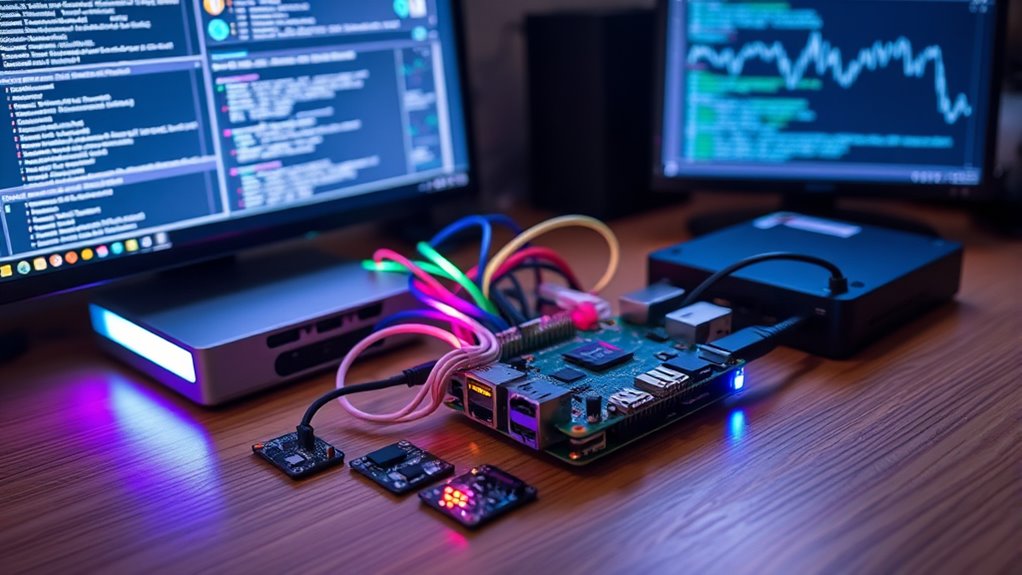
Running a Bitcoin Lightning Node allows you to participate in fast, low-cost transactions on the Bitcoin network, but setting it up requires some technical know-how. To get started, you’ll need to understand the core concepts behind Lightning, especially payment channels, which are the backbone of this scaling solution. Payment channels enable you to conduct multiple transactions off-chain, settling the final balances on the main Bitcoin blockchain only when necessary. This setup reduces congestion and transaction fees, making microtransactions practical and efficient. When establishing your node, you’ll open a payment channel with another node, locking in a certain amount of Bitcoin that you can send back and forth. The process involves creating and signing a multi-signature wallet, which guarantees both parties’ funds are protected and that transactions are secure and valid.
As you proceed, pay close attention to node security. Your node acts as a hub for your funds and transaction activity, so safeguarding it against potential threats is essential. Implementing strong security measures, such as encrypting your node’s data, using secure passwords, and keeping the software up to date, minimizes vulnerabilities. Consider running your node on dedicated hardware, like a Raspberry Pi, to reduce attack surfaces and improve stability. Additionally, use firewalls to control access and monitor your node’s activity regularly. Securing your private keys is imperative; never expose them, and consider hardware wallets for added protection. When managing payment channels, ensure you monitor their status and close them if suspicious activity or vulnerabilities arise, safeguarding your funds from potential exploits.
Maintaining your node’s hardware and ensuring consistent network connectivity are crucial for reliable operation and uninterrupted transaction processing.
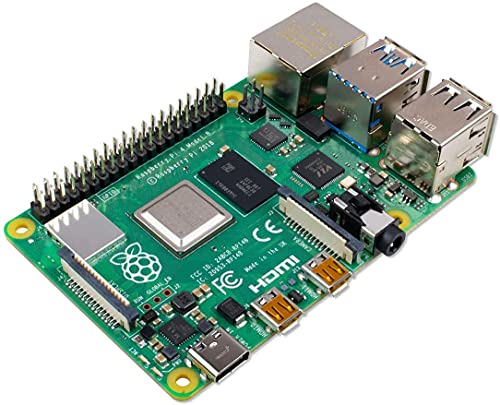
Raspberry SC15184 Pi 4 Model B 2019 Quad Core 64 Bit WiFi Bluetooth (2GB)
Broadcom BCM2711, quad-core Cortex-A72 (ARM v8) 64-bit SoC @ 1. 5GHz
As an affiliate, we earn on qualifying purchases.
As an affiliate, we earn on qualifying purchases.
Frequently Asked Questions
What Hardware Is Best for a Lightning Node?
You should choose hardware that balances performance and security for your Lightning node. A Raspberry Pi 4 with at least 4GB RAM is popular, but for better node security and reliability, consider a dedicated server or a mini PC with a solid-state drive. Make certain your hardware meets the necessary hardware requirements, including enough storage and stable internet, to keep your node secure and running smoothly.
How Much Does It Cost to Operate a Node?
You’ll find that operating a node costs varies, but generally, it’s quite affordable. Expect to spend around $5 to $20 monthly on electricity, plus occasional node maintenance for updates and security. Network fees are minimal, often just a few cents per transaction, depending on usage. Keep in mind, these costs are a small price to pay for the benefits of faster, cheaper transactions and supporting the Lightning network’s growth.
How Do I Secure My Lightning Node?
To secure your Lightning node, focus on robust node security by keeping your software updated and using strong, unique passwords. Implement backup strategies regularly to safeguard your channel data and seed phrases. Store backups offline in secure locations. Use firewalls and enable encryption to protect against unauthorized access. By actively maintaining node security and consistent backups, you guarantee your Lightning network operations remain resilient and safe from potential threats.
Can I Run a Lightning Node on a Mobile Device?
Yes, you can run a Lightning node on a mobile device. Many apps offer mobile compatibility, making it easy to set up and manage your node from your smartphone or tablet. Popular app options include BlueWallet, Muun, and Zeus, which provide user-friendly interfaces and reliable features. Just make certain your device has sufficient storage and a stable internet connection to keep your node running smoothly and securely.
What Are Common Troubleshooting Steps?
Did you know that most Lightning node issues stem from network latency or outdated software? When troubleshooting, start by checking your internet connection for stability, as high latency can disrupt payments. Next, verify your node software is up-to-date, since updates fix bugs and improve performance. Restart your node if problems persist, and review logs for errors. Keeping your system current and maintaining a strong connection helps ensure smooth operation.

Bitkey Bitcoin Hardware Wallet – The Most Secure Way to Buy, Store and Manage Bitcoin
BITCOIN EXCLUSIVE: Bitkey is designed from the ground up exclusively for Bitcoin, offering a dedicated hardware wallet solution…
As an affiliate, we earn on qualifying purchases.
As an affiliate, we earn on qualifying purchases.
Conclusion
So, after all this, setting up your Lightning node might seem like a breeze—until you realize it’s a constant game of balancing, updating, and troubleshooting. Sure, you’re now part of the future of fast, cheap transactions, but don’t be surprised if your node keeps you on your toes. Irony’s sweet, isn’t it? You wanted simplicity, yet here you are, diligently managing a tiny digital fortress in the chaotic world of crypto.
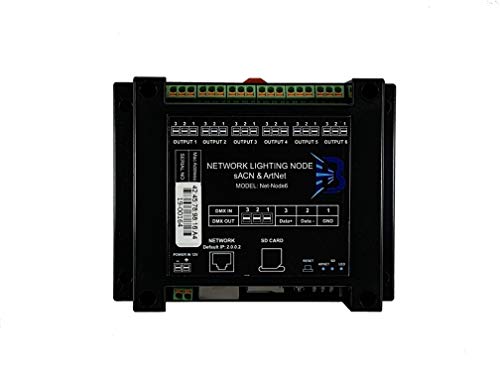
Net-Node6 Network Lighting Node sACN, Art-Net v3, Ethernet to DMX 512 6 Channels
Ethernet to DMX 512
As an affiliate, we earn on qualifying purchases.
As an affiliate, we earn on qualifying purchases.

Atlancube Offline Password Keeper – Secure Bluetooth Drive with Autofill, Store 1,000 Credentials, Military-Grade Encryption for Safe Password Management (Black)
Auto-Fill Feature: Say goodbye to the hassle of manually entering passwords! PasswordPocket automatically fills in your credentials with…
As an affiliate, we earn on qualifying purchases.
As an affiliate, we earn on qualifying purchases.