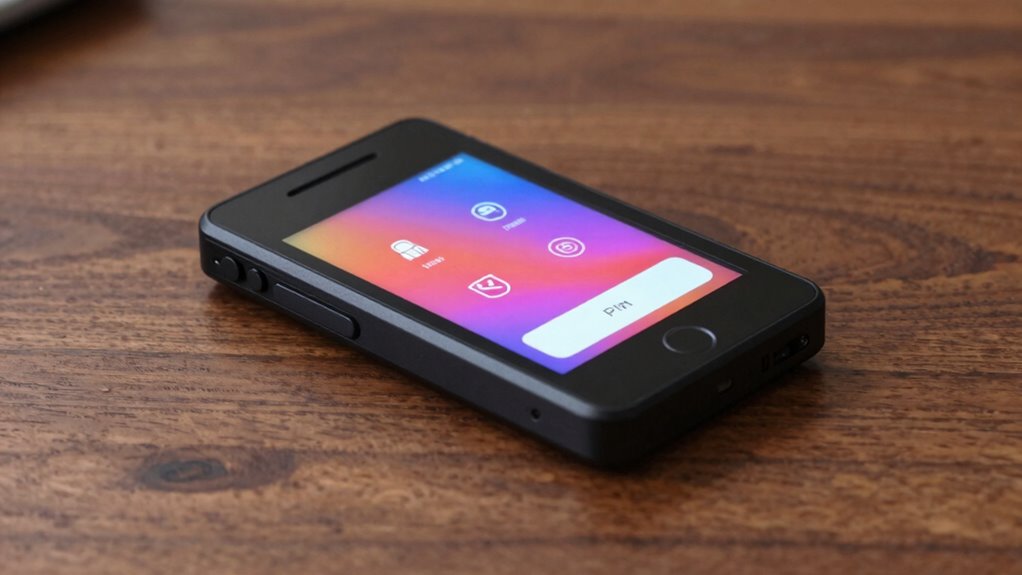

Searching for a hardware wallet with touchscreen? The top pick for overall value is the Ledger Nano Gen5, known for its robust security features and user-friendly interface. The Keystone 3 Pro stands out with its air-gapped security and large 4-inch display, ideal for those prioritizing security and ease of use. Meanwhile, the Trezor Safe 7 offers a premium experience with Quantum-resistant features and a vivid color touchscreen. These options highlight common tradeoffs: higher security often means a steeper learning curve or higher price, while more affordable models may lack some advanced features. Continue reading for a detailed breakdown of each product to find the best fit for your needs.

Get hardware and tech essentials delivered free — and shop member deals
- Fast, free delivery on millions of items
- Access to Prime Big Deal Days deals on October 6–7
- Prime Video, Amazon Music and more included
Key Takeaways
- Top-tier security features are generally paired with larger, more complex touchscreens, increasing cost and complexity.
- The best overall wallet balances security, usability, and price, with the Ledger Nano Gen5 emerging as a standout.
- Premium models like the Trezor Safe 7 incorporate advanced security protocols like Quantum resistance, ideal for long-term holders.
- Budget-friendly options often sacrifice some security features or screen size but still provide reliable cold storage.
- Ease of use is greatly enhanced by color touchscreens and intuitive interfaces, making them suitable for both beginners and experienced users.
| DCENT Biometric Hardware Wallet | Cold Storage, Bluetooth, Multi-Crypto |  | Best for Highest Security and Biometric Authentication | Security Certification: EAL5+ Secure Element | Biometric Authentication: Fingerprint | Supported Assets: 10,000+ assets | VIEW ON AMAZON | See Our Full Breakdown |
| Keystone 3 Pro Cryptocurrency Hardware Wallet with Air-Gapped Security and 4-Inch Touch Screen |  | Best for Advanced Users Needing Air-Gapped Security | Product Dimensions: 4.72 x 3.15 x 1.57 inches | Item Weight: 9.9 ounces | Batteries: 1 Lithium Metal battery included | VIEW ON AMAZON | See Our Full Breakdown |
| Ledger Nano Gen5 – Crypto Wallet – Securely Buy Digital Assets – Black |  | Best for User-Friendly Security with Touchscreen | Display Technology: LCD | Screen Size: 2.8 inches | Connectivity Technology: USB | VIEW ON AMAZON | See Our Full Breakdown |
| Ledger Nano X – Classic Crypto Wallet with Bluetooth | 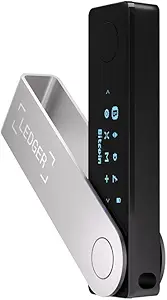 | Best for Mobile Management and Wide Crypto Support | Connectivity: Bluetooth | Compatibility: iOS | Supported Coins: 15,000+ coins & tokens | VIEW ON AMAZON | See Our Full Breakdown |
| Crypto Hardware Wallet – CC EAL6+ Secure Element Cold Storage |  | Best for Military-Grade Security and Air-Gapped Transactions | Secure Element: CC EAL6+ | Supported Blockchains: 12+ | Supported Tokens: 5000+ | VIEW ON AMAZON | See Our Full Breakdown |
| Trezor Safe 5 – Crypto Hardware Wallet with Secure Element & Passphrase, Color Touchscreen, Haptic Feedback, Supports 1000s of Coins & Tokens, Violet Ore |  | Best Overall for Security and Usability | Secure Element: NDA-free EAL 6+ | Display: Gorilla Glass touchscreen | Supported Coins & Tokens: Supports 1000s | VIEW ON AMAZON | See Our Full Breakdown |
| Ledger STAX – Premium Crypto Wallet – Securely Build Your Portfolio |  | Best for Large Asset Management and Multi-Chain Support | Screen: 3.7” curved E Ink touchscreen | Asset Support: 15,000+ cryptocurrencies | Security: PIN-protected backup, Ledger Recovery Key | VIEW ON AMAZON | See Our Full Breakdown |
| SecuX W20 Crypto Wallet with Touchscreen and Bluetooth |  | Best for Mobile Flexibility and Wide Coin Support | Security Certification: CC EAL5+ | Secure Element: Infineon Solid Flash CC EAL5+ | Display: 2.8 inch touchscreen | VIEW ON AMAZON | See Our Full Breakdown |
| Trezor Safe 7 – Crypto Hardware Wallet with Bluetooth, Color Touchscreen, Secure Element, Quantum-Ready |  | Best for Future-Proof Security and Wireless Convenience | Case Type: Unknown | Cooling Method: Air | Special Features: Encrypted | VIEW ON AMAZON | See Our Full Breakdown |
| hardware wallet with touchscreen | Connectivity |
|---|---|
| DCENT Biometric Hardware Walle | Bluetooth |
| Keystone 3 Pro Cryptocurrency | Air-gapped QR code signing |
| Ledger Nano Gen5 | — |
| Ledger Nano X | Bluetooth |
| Crypto Hardware Wallet | — |
| Trezor Safe 5 | — |
| Ledger STAX | Pair with Ledger Wallet app, Ledger Sync |
| SecuX W20 Crypto Wallet with T | Bluetooth, QR code, MetaMask, WalletConnect |
| Trezor Safe 7 | — |
More Details on Our Top Picks
DCENT Biometric Hardware Wallet | Cold Storage, Bluetooth, Multi-Crypto
The DCENT Biometric Wallet stands out for its biometric fingerprint protection combined with an EAL5+ certified secure element, offering a level of security comparable to the Crypto Wallet CC EAL6+ but with more user-friendly biometric access. Unlike the Ledger Nano Gen5, which relies solely on a PIN and digital security, DCENT emphasizes biometric verification, reducing the risk of PIN theft. However, the reliance on Bluetooth for connectivity might introduce occasional pairing issues, and the limited user feedback makes it harder to gauge long-term reliability. This device excels for users prioritizing biometric security and multi-asset support in a portable form, with scam protection built-in to prevent common transaction frauds.
Pros:- Biometric fingerprint authentication enhances security beyond PINs
- Supports over 10,000 assets across 100+ blockchains
- Includes Bluetooth for easy mobile management
- Built-in scam protection with Blockaid
Cons:- Bluetooth connectivity can sometimes be unstable
- Limited user reviews make reliability uncertain
- No transparent pricing info available
Best for: Crypto users who want biometric security and broad asset support in a single device, especially those managing NFTs or diverse tokens.
Not ideal for: Those seeking a completely wired setup or preferring open-source firmware, as the Bluetooth connection may be unreliable for some.
- Security Certification:EAL5+ Secure Element
- Biometric Authentication:Fingerprint
- Supported Assets:10,000+ assets
- Supported Blockchains:100+ blockchains
- Connectivity:Bluetooth
- Compatibility:MetaMask, dApps
Our verdict“This wallet suits security-conscious users who value biometric access and multi-asset support, accepting some connectivity tradeoffs.”
Keystone 3 Pro Cryptocurrency Hardware Wallet with Air-Gapped Security and 4-Inch Touch Screen
The Keystone 3 Pro makes a compelling case for maximum security through its air-gapped design, which completely isolates private keys from internet-connected devices. Compared with the Ledger Nano Gen5, which requires USB connection, Keystone’s offline signing process offers a higher security barrier, especially for high-value holdings. Its 4-inch touchscreen simplifies transaction reviews, but the device’s moderate user rating hints at potential firmware or usability issues. While open-source firmware boosts transparency, some users may find the device slightly bulky, and battery performance details remain limited. This pick works best for experienced crypto holders prioritizing offline security over convenience.
Pros:- Air-gapped design offers offline transaction signing for maximum security
- Supports over 1000 coins and features multi-sig/staking
- Large 4-inch touchscreen for clear transaction review
- Open-source firmware enhances transparency
Cons:- Moderate customer ratings suggest possible usability issues
- Limited info on battery life and longevity
- Larger size may reduce portability
Best for: Advanced crypto investors seeking air-gapped security with a large touchscreen for easy transaction management.
Not ideal for: Beginners or those on a tight budget, as the device’s complexity and size may be intimidating or less portable.
- Product Dimensions:4.72 x 3.15 x 1.57 inches
- Item Weight:9.9 ounces
- Batteries:1 Lithium Metal battery included
- Supported Coins:Over 1000
- Display Size:4-inch
- Connectivity:Air-gapped QR code signing
Our verdict“Ideal for security-focused users comfortable with a larger device and offline signing, despite some usability tradeoffs.”
Ledger Nano Gen5 – Crypto Wallet – Securely Buy Digital Assets – Black
The Ledger Nano Gen5 combines high-security features like a Secure Element chip with a 2.8-inch LCD touchscreen, making it accessible for users who want simple navigation and offline asset management. Compared to the Keystone 3 Pro’s large screen, the Nano Gen5’s smaller display might feel less intuitive for detailed reviews but offers a familiar, portable form factor with USB connectivity. Its security is reinforced by offline PIN and passphrase options, but the necessity of a physical connection can limit flexibility. This wallet suits those seeking a straightforward, secure device with a friendly touchscreen interface, especially if they prefer USB over wireless or air-gapped methods.
Pros:- High-security with Secure Element and offline PIN
- User-friendly 2.8-inch touchscreen for navigation
- Supports thousands of cryptocurrencies
- Easy device pairing via USB
Cons:- Requires USB connection, limiting portability
- Setup process can be complex for newcomers
- Limited internal storage for additional apps
Best for: Crypto users who want robust security combined with a compact, touchscreen device for easy management.
Not ideal for: Power users requiring air-gapped or open-source firmware, or those who prefer wireless connectivity over USB.
- Display Technology:LCD
- Screen Size:2.8 inches
- Connectivity Technology:USB
- Memory Storage Capacity:1.5 MB
- Native Resolution:1440×1080
- Special Features:Secure digital asset management
Our verdict“Best suited for users wanting a balance of security and touchscreen ease in a portable form factor.”
Ledger Nano X – Classic Crypto Wallet with Bluetooth
The Ledger Nano X is designed for convenience, offering Bluetooth connectivity that enables managing over 15,000 cryptocurrencies via a mobile app. Compared with the Nano Gen5, its wireless capability makes it more flexible for on-the-go use, although some users may be concerned about Bluetooth security. The device’s long battery life and iOS compatibility support seamless management, but the product’s physical appearance can vary slightly from images, and careful handling is needed to prevent scratches. This pick is ideal for users who prioritize ease of use and extensive coin support, even if they accept some tradeoffs in physical durability and backup details.
Pros:- Supports over 15,000 coins and tokens
- Bluetooth enables easy mobile management
- Long battery life for extended use
- Compatible with iOS devices
Cons:- Physical appearance may differ from images
- Requires careful handling to avoid scratches
- Limited details on backup and recovery options
Best for: Crypto enthusiasts who want a large asset range and mobile-friendly Bluetooth access, especially for frequent trading or staking.
Not ideal for: Users seeking a purely wired device or those uncomfortable with wireless security considerations.
- Connectivity:Bluetooth
- Compatibility:iOS
- Supported Coins:15,000+ coins & tokens
- Battery Life:Hours of use
Our verdict“Best for users seeking broad asset support with the convenience of wireless management on mobile devices.”
Crypto Hardware Wallet – CC EAL6+ Secure Element Cold Storage
The Crypto Hardware Wallet features a CC EAL6+ secure element, placing it among the most secure options available, with private keys never leaving the tamper-proof hardware. Its 4.07-inch touchscreen allows clear transaction verification, and air-gapped QR code signing further isolates it from online threats. Compared with the Keystone 3 Pro, which uses a larger screen but fewer security certifications, this device emphasizes security above all else, with open firmware and third-party audits adding transparency. The main drawback is the need for physical QR code scanning, which can be less convenient, and the limited battery life of around 2.5 hours may restrict continuous use.
Pros:- Military-grade CC EAL6+ secure element for maximum security
- Supports over 12 blockchains and 5000+ tokens
- Air-gapped QR code signing adds extra security layer
- Open-source firmware with third-party audits
Cons:- QR code scanning is less convenient than direct input
- Battery life limited to around 2.5 hours of continuous use
- Learning curve for new users unfamiliar with QR signing
Best for: High-security users managing large crypto portfolios who value military-grade protection and air-gapped signing.
Not ideal for: Casual users or those preferring quick, wireless transactions, given the QR scanning process and limited battery life.
- Secure Element:CC EAL6+
- Supported Blockchains:12+
- Supported Tokens:5000+
- Processor:STM32H747 dual-core @ 480MHz
- Display:4.07-inch touchscreen, 480×800
- Battery:620mAh, 2.5+ hours
Our verdict“Ideal for security-focused users who prioritize maximum protection and are comfortable with QR code workflows.”
Trezor Safe 5 – Crypto Hardware Wallet with Secure Element & Passphrase, Color Touchscreen, Haptic Feedback, Supports 1000s of Coins & Tokens, Violet Ore
The Trezor Safe 5 stands out for combining high-grade security with an intuitive, vibrant color touchscreen that enhances user interaction. Unlike the Ledger STAX, which offers a high-resolution display but lacks tactile feedback, the Safe 5’s haptic feedback makes navigating complex crypto portfolios more natural. Its NDA-free EAL 6+ Secure Element assures tough security without proprietary restrictions, making it ideal for those prioritizing protection. The Gorilla Glass display adds durability, but the absence of built-in backup options means users must rely on the Trezor Suite app for setup, which could be a hurdle for less tech-savvy individuals. Overall, this wallet is a solid pick for users seeking a secure yet user-friendly device that supports a broad range of assets.
Pros:- High security with NDA-free EAL 6+ Secure Element
- Vibrant color touchscreen with haptic feedback
- Supports thousands of cryptocurrencies
- Durable Gorilla Glass display
Cons:- No integrated backup or recovery options
- Requires setup via Trezor Suite app, which may be complex for some users
Best for: Crypto enthusiasts who want a secure, colorful touchscreen experience with robust security features.
Not ideal for: Beginners who prefer plug-and-play solutions or those wanting an all-in-one backup system without additional setup complexity.
- Secure Element:NDA-free EAL 6+
- Display:Gorilla Glass touchscreen
- Supported Coins & Tokens:Supports 1000s
- Color:Violet Ore
- Material:Aluminum with plastic lining
- Form Factor:Slim
Our verdict“This wallet suits security-conscious users who value a colorful, tactile interface for managing a large variety of coins.”
Ledger STAX – Premium Crypto Wallet – Securely Build Your Portfolio
The Ledger STAX is tailored for users managing extensive portfolios across multiple chains, thanks to its high-resolution 3.7” curved E Ink touchscreen that offers clear, easy navigation. Compared with the Trezor Safe 5, which excels in security but has a simpler display, the STAX’s high-res screen makes managing NFTs and numerous assets more straightforward. Its offline backup options with Ledger Recovery Key provide peace of mind, though the device’s premium price tag could be a barrier for casual users. Its seamless integration with the Ledger app makes it ideal for seasoned crypto traders who need a reliable, multi-asset device with a visually accessible interface.
Pros:- Supports over 15,000 cryptocurrencies and NFTs
- High-resolution curved E Ink touchscreen for clarity
- Secure offline backup with Ledger Recovery Key
- Seamless app integration for streamlined management
Cons:- Premium price may be prohibitive for some
- Requires familiarity with crypto management tools
Best for: Advanced users managing large, diversified crypto portfolios needing detailed asset oversight.
Not ideal for: Novices or casual investors who prefer simpler, less expensive wallets without extensive backup features.
- Screen:3.7” curved E Ink touchscreen
- Asset Support:15,000+ cryptocurrencies
- Security:PIN-protected backup, Ledger Recovery Key
- Connectivity:Pair with Ledger Wallet app, Ledger Sync
- Supported Assets:Cryptocurrencies and NFTs
Our verdict“This wallet is best suited for experienced users who prioritize detailed management and extensive asset support.”
SecuX W20 Crypto Wallet with Touchscreen and Bluetooth
The SecuX W20 offers a compelling balance between security and portability, with its 2.8-inch touchscreen that makes transaction verification straightforward. Its Bluetooth connectivity allows for convenient management on the go, unlike the Ledger STAX which is primarily desktop-focused. Supporting over 10,000 coins and tokens across multiple chains, it’s a flexible choice for users who need a mobile-friendly device, though reliance on Bluetooth introduces some security considerations—especially for those wary of wireless vulnerabilities. Its CC EAL5+ certification and offline private key storage make it suitable for security-minded users requiring broad asset compatibility with ease of use in a portable form.
Pros:- High-level security with CC EAL5+ certification
- Large, intuitive touchscreen for easy operation
- Supports over 10,000 coins and tokens
- Bluetooth for wireless convenience
Cons:- Bluetooth connectivity may pose security risks for some
- No price information available, possibly limiting accessibility
Best for: Crypto users seeking a mobile, versatile device with strong security for everyday transactions.
Not ideal for: Users preferring wired connections or those uncomfortable with Bluetooth security risks.
- Security Certification:CC EAL5+
- Secure Element:Infineon Solid Flash CC EAL5+
- Display:2.8 inch touchscreen
- Supported Coins & Tokens:10,000+
- Connectivity:Bluetooth, QR code, MetaMask, WalletConnect
Our verdict“This wallet is ideal for mobile users who prioritize broad asset support and Bluetooth convenience over wired security preferences.”
Trezor Safe 7 – Crypto Hardware Wallet with Bluetooth, Color Touchscreen, Secure Element, Quantum-Ready
The Trezor Safe 7 elevates crypto management with its high-resolution color touchscreen and encrypted Bluetooth connection, making it suitable for users wanting a wireless experience. Its quantum-ready security architecture offers a layer of future-proof protection, unlike the Secure Element in the Safe 5, which is more traditional but equally secure. The anodized aluminum case adds durability, but limited details on battery life and case specifics might concern those seeking a fully portable, all-in-one device. The Safe 7’s combination of advanced security features and wireless control makes it an appealing choice for tech-savvy users who want a sleek, durable, and secure device with modern connectivity.
Pros:- High-resolution color touchscreen for easy navigation
- Encrypted Bluetooth connectivity for wireless control
- Quantum-ready security architecture
- Durable anodized aluminum body
Cons:- Limited information on battery life and case details
- Potential complexity for new users unfamiliar with crypto wallets
Best for: Crypto enthusiasts looking for a future-proof, wireless wallet with high-res display and durable build.
Not ideal for: Beginners or users requiring detailed technical support due to potential complexity and limited case info.
- Case Type:Unknown
- Cooling Method:Air
- Special Features:Encrypted
- Compatible Devices:Android, PC, iOS
- Color:Charcoal Black
Our verdict“This wallet is best for users who want a durable, future-ready device with wireless convenience and a vivid display.”

How We Picked
These products were evaluated based on a combination of security features, usability, build quality, and value for money. Priority was given to devices with color touchscreens that simplify navigation and transaction management. We also considered the security protocols, such as secure elements and air-gapped technology, to ensure robust protection of digital assets. Compatibility with multiple cryptocurrencies and user interface design played a role in ranking. Finally, the overall reputation and customer feedback helped distinguish the most reliable options from less proven contenders.
| hardware wallet with touchscreen | Connectivity |
|---|---|
| DCENT Biometric Hardware Walle | Bluetooth |
| Keystone 3 Pro Cryptocurrency | Air-gapped QR code signing |
| Ledger Nano Gen5 | — |
| Ledger Nano X | Bluetooth |
| Crypto Hardware Wallet | — |
| Trezor Safe 5 | — |
| Ledger STAX | Pair with Ledger Wallet app, Ledger Sync |
| SecuX W20 Crypto Wallet with T | Bluetooth, QR code, MetaMask, WalletConnect |
| Trezor Safe 7 | — |
Factors to Consider When Choosing Hardware Wallet With Touchscreen
Choosing a hardware wallet with a touchscreen involves balancing security, usability, and price. Beyond just the size of the display, consider how intuitive the interface is, as this impacts daily use. Security features like secure elements and air-gapped design protect your assets from hacks, but often come at a premium. Compatibility with different cryptocurrencies and ease of setup are also key factors. Being aware of these broader considerations can help you select a device that fits your tech comfort level and long-term storage needs.Security Protocols and Build Quality
Prioritize wallets that incorporate secure elements and air-gapped technology, which isolate your private keys from potential online threats. A well-built device with durable materials and tamper-proof design adds an extra layer of protection. Remember, a touchscreen alone doesn’t guarantee security—look for hardware that encrypts data and has a proven security track record to avoid vulnerabilities.
Display Size and User Interface
A larger, high-resolution touchscreen simplifies navigation and transaction verification, reducing errors. However, bigger screens can add to the cost and bulkiness of the device. An intuitive interface with responsive controls minimizes the learning curve, making it easier for both beginners and experienced users to operate confidently.
Compatibility and Cryptocurrency Support
Ensure the wallet supports the cryptocurrencies you own or plan to store. Some devices handle a wide range of tokens, while others are more specialized. Compatibility with third-party apps or desktop integrations can streamline your management process, especially if you hold diverse assets.
Price and Value
Higher-security models with premium features typically come at a premium price. Decide how much you’re willing to invest based on your security needs and asset size. Remember, spending more can be justified if it offers better long-term protection and ease of use, but budget options can still provide reliable cold storage for smaller portfolios.
Ease of Setup and Customer Support
A straightforward setup process and responsive customer service are important, especially for beginners. Look for manufacturers that provide clear instructions, tutorials, and active support channels. A device with a simple onboarding process minimizes frustration and helps you start securing your assets quickly.
Frequently Asked Questions
Is a touchscreen hardware wallet more secure than one without?
A touchscreen doesn’t inherently increase security but enhances usability, making it easier to verify transactions accurately. The overall security depends more on the device’s security protocols, such as secure elements, firmware integrity, and air-gapped design. Devices with robust security features and a user-friendly interface reduce the risk of user error, which is a common vulnerability in crypto management.
Are larger screens worth the extra cost?
Larger screens improve transaction verification and navigation, which can prevent mistakes and make daily use more comfortable. However, they tend to increase the device’s size and price. If you frequently manage multiple assets or value ease of use, a bigger display offers clear benefits. For occasional users or those with limited budgets, smaller screens still provide sufficient functionality at a lower cost.
Can I use a touchscreen hardware wallet with my mobile device?
Many touchscreen wallets, like Ledger Nano X and SecuX W20, support Bluetooth connectivity, enabling integration with smartphones. This makes managing your crypto assets more flexible, especially for on-the-go transactions. However, ensure that the device’s Bluetooth security features are strong enough to prevent potential interception risks, and verify compatibility with your preferred mobile apps before purchasing.
What security features should I look for besides a touchscreen?
Beyond the touchscreen, focus on secure elements, air-gapped design, and tamper-proof construction. Secure elements store private keys in isolated environments, reducing hacking risks. Air-gapped devices operate independently of online connections, minimizing attack vectors. A reputable device will also have firmware verification and physical security measures to protect against tampering.
Is it better to buy a premium touchscreen wallet or a more affordable model?
The decision depends on your security needs and how much you value ease of use. Premium models like the Trezor Safe 7 offer advanced security protocols and larger, more vivid screens, suitable for serious investors or long-term holders. More affordable options can still provide reliable cold storage but may lack some advanced features or have smaller screens. Consider your asset size and comfort with technology when choosing the right balance of cost and features.
Conclusion
For most users seeking a reliable, user-friendly option, the Ledger Nano Gen5 offers an excellent balance of security, usability, and affordability as the best overall choice. Those prioritizing maximum security and a larger display might prefer the Trezor Safe 7, making it the best premium pick. Beginners or casual holders will find the SecuX W20 straightforward and portable, ideal as the best for beginners. Finally, if you need a device with a large touchscreen and advanced security features, the Keystone 3 Pro provides strong value, suitable for tech-savvy users aiming for a secure, easy-to-navigate experience.
Fall Picks
fall essentials
As an affiliate, we earn on qualifying purchases.