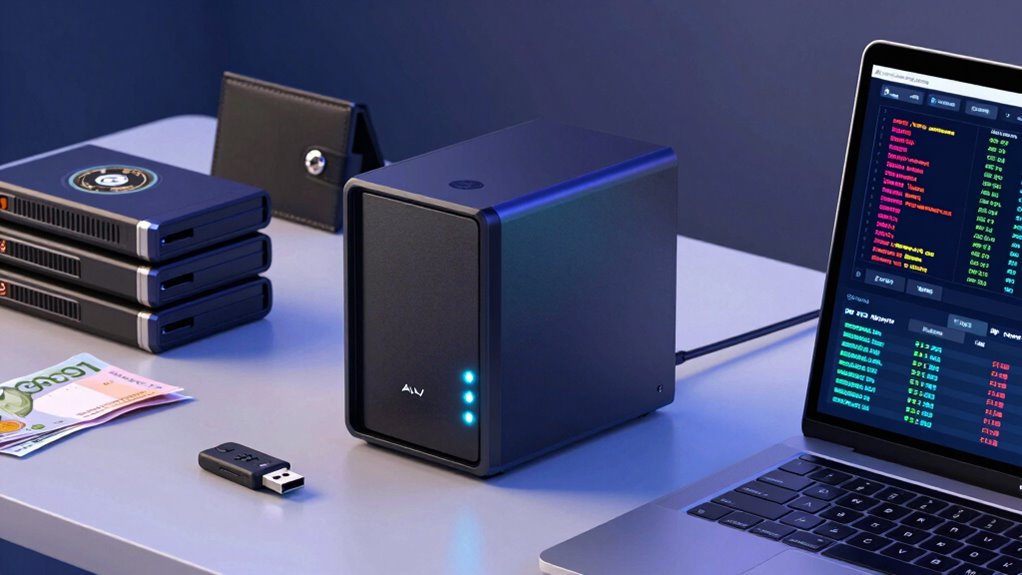

A NAS for wallet backups can keep encrypted wallet files and recovery-related documents on storage you control, but it should never replace a properly protected recovery phrase. My best overall pick is the Synology DS225+, which balances a manageable two-bay setup with room for drive redundancy. The Synology BeeStation is a simpler choice for people who want storage with less setup, while the UGREEN NASync DXP2800 suits buyers who want a more capable two-bay system. The main tradeoffs are ease of use versus control, and compact simplicity versus drive redundancy and growth. Read on for how all 10 options compare and which one fits your backup habits.

Get hardware and tech essentials delivered free with Prime
- Fast, free delivery on millions of items
- Prime Video, Amazon Music and more included
- Member-only deals all year
Key Takeaways
- The Synology DS225+ is the strongest all-around fit for a personal wallet-backup archive when you want a two-bay enclosure and a more capable platform than a single-drive device.
- The BeeStation favors simplicity over NAS flexibility; it is the standout for buyers who prefer an easier personal-cloud style setup rather than choosing and installing drives.
- Two bays are a useful baseline for a wallet archive: they allow mirrored storage, though a mirror protects against a drive failure, not accidental deletion, theft, or ransomware.
- Four-bay models serve a different plan: the DS425+ and UGREEN DXP4800 GT make more sense when wallet files sit alongside a growing household or creator archive.
- Included-drive and diskless models demand different decisions: the Buffalo LinkStation 210 arrives with storage, while most alternatives require drive selection and add-on purchases.
| Synology BeeStation 4TB Personal Cloud Storage Device (BST150-4T) |  | Best for Beginners | Model: BST150-4T | Capacity: 4TB | Type: Personal cloud storage | VIEW ON AMAZON | See Our Full Breakdown |
| Synology DS425+ Private Cloud Media Server – Stream, Back Up & Share Files (4-Bay Diskless NAS) |  | Best for Multi-User Redundancy | Drive bays: 4 | Drive configuration: Diskless | Maximum transfer speed: Up to 278 MB/s | VIEW ON AMAZON | See Our Full Breakdown |
| Synology DS124 1-Bay Diskless NAS |  | Best Compact Synology Option | Model: DS124 | Drive bays: 1 | Drive configuration: Diskless | VIEW ON AMAZON | See Our Full Breakdown |
| BUFFALO LinkStation 210 4TB 1-Bay NAS with Included Hard Drive |  | Best Simple Included-Storage Pick | Model: LS210D0401 | Storage capacity: 4TB | Drive bays: 1 | VIEW ON AMAZON | See Our Full Breakdown |
| Yxk Zero1 2‑Bay Desktop NAS (Diskless) – Home & Personal Storage |  | Best for Fast, Flexible Home Use | Model: Zero1 | Drive bays: 2 | Drive configuration: Diskless; drives sold separately | VIEW ON AMAZON | See Our Full Breakdown |
| UGREEN NASync DXP2800 2-Bay Network Attached Storage |  | Best for Power Users in a Two-Bay NAS | Model: DXP2800 | Processor: Intel N100 quad-core | Memory: 8GB DDR5 | VIEW ON AMAZON | See Our Full Breakdown |
| UGREEN NAS DXP4800 GT 4-Bay for Creators, Tech Enthusiasts and Office Teams |  | Best for Large, Fast Backup Workflows | Processor: AMD Ryzen Embedded R2514, 4 cores and 8 threads | Memory: 8GB DDR4, expandable to 64GB | Drive bays: 4 | VIEW ON AMAZON | See Our Full Breakdown |
| Synology DS225+ 2-Bay Diskless NAS Media Server |  | Best for Automated Backup and Snapshots | Model: DS225+ | Drive bays: 2 | Drive configuration: Diskless | VIEW ON AMAZON | See Our Full Breakdown |
| Synology DiskStation DS223j 2-Bay NAS Enclosure (Diskless) |  | Best for Straightforward Private-Cloud Backups | Model: DS223j | Drive bays: 2 | Drive configuration: Diskless | VIEW ON AMAZON | See Our Full Breakdown |
| UGREEN DH2300 2-Bay NAS for Personal Storage and Backup |  | Best for Beginners and Basic Wallet Backups | Drive bays: 2 | Maximum listed capacity: Up to 64TB | Memory: 4GB | VIEW ON AMAZON | See Our Full Breakdown |
| nas for wallet backup | Drive bays | Model | Warranty | Drive configuration |
|---|---|---|---|---|
| Synology BeeStation 4TB Person | — | BST150-4T | — | — |
| Synology DS425+ Private Cloud | 4 | — | 3 years | Diskless |
| Synology DS124 1-Bay Diskless | 1 | DS124 | 2 years | Diskless |
| BUFFALO LinkStation 210 4TB 1- | 1 | LS210D0401 | — | — |
| Yxk Zero1 2‑Bay Desktop NAS | 2 | Zero1 | 2 years | Diskless; drives sold separately |
| UGREEN NASync DXP2800 2-Bay Ne | 2 × 3.5-inch HDD | DXP2800 | 2 years | — |
| UGREEN NAS DXP4800 GT 4-Bay fo | 4 | — | — | — |
| Synology DS225+ 2-Bay Diskless | 2 | DS225+ | 3 years | Diskless |
| Synology DiskStation DS223j 2- | 2 | DS223j | 2 years | Diskless |
| UGREEN DH2300 2-Bay NAS for Pe | 2 | — | — | — |
More Details on Our Top Picks
Synology BeeStation 4TB Personal Cloud Storage Device (BST150-4T)
For wallet backups, the BeeStation is the easiest pick here for someone who wants a straightforward place to keep documents and recovery files without building a NAS setup. QR-code setup and access from web, desktop, and mobile reduce the technical work, while its 4TB capacity is ready to use. It can also centralize copies from Google Drive, OneDrive, Dropbox, and external drives, which makes it useful for consolidating scattered files. Compared with the diskless Synology DS124, the BeeStation includes storage and asks less of the buyer; compared with the BUFFALO LinkStation 210, it offers more listed cloud-source integrations. The tradeoff is limited expansion detail and reliance on internet access for remote use and cloud syncing. It suits a personal archive, but not someone building a large, multi-drive backup system.
Pros:- QR-code setup avoids much of the configuration work associated with a traditional NAS.
- Included 4TB capacity provides storage without a separate drive purchase.
- Can consolidate backups from Google Drive, OneDrive, Dropbox, and external drives.
- Offers access across web, desktop, and mobile, with separate spaces for multiple users.
Cons:- The 4TB capacity may be limiting for large personal archives.
- Remote access and cloud syncing depend on internet connectivity.
- Does not offer the multi-bay expansion described for options such as the Yxk Zero1.
Best for: First-time NAS buyers who want a ready-to-use home for wallet recovery files and copies of files held across several cloud services.
Not ideal for: Users with large media archives or a need for drive redundancy and future multi-bay expansion.
- Model:BST150-4T
- Capacity:4TB
- Type:Personal cloud storage
- Setup method:QR-code scan
- Access compatibility:Web, desktop, and mobile
- Cloud backup sources:Google Drive, OneDrive, and Dropbox
- Additional backup source:External drives
Our verdict“Choose the BeeStation if easy setup and cloud-service consolidation matter more than expandable, multi-drive storage.”
Synology DS425+ Private Cloud Media Server – Stream, Back Up & Share Files (4-Bay Diskless NAS)
The DS425+ is the strongest fit in this group for a household or small office treating wallet backups as part of a broader, shared data-protection system. Its four drive bays, RAID support, automated backups, and snapshots offer more room to build a layered setup than the one-bay BUFFALO LinkStation 210 or diskless DS124. The listed transfer speed of up to 278 MB/s also suits frequent movement of large files, while granular permissions help keep different users’ files organized. It supports more than 10 concurrent users and up to 30 IP cameras, so this is a capable general-purpose NAS rather than a simple wallet-file box. The tradeoffs are substantial: it is diskless, so drives must be selected and installed separately, and its four bays still set a limit on expansion. For a single user with a small backup folder, it is more system than needed.
Pros:- Four drive bays support a more expandable storage and redundancy setup than the single-bay DS124 or BUFFALO LS210.
- RAID, automated backups, and snapshots provide multiple layers of data protection.
- Supports more than 10 concurrent users with granular access controls.
- Up to 278 MB/s transfer speed is suited to moving large files across a network.
Cons:- Diskless design requires a separate drive purchase and installation.
- Four bays may still constrain long-term expansion for growing teams or large archives.
- Its range of business and media features may be unnecessary for a personal wallet-backup folder.
Best for: Families, small teams, or technically confident users who want wallet backups alongside shared storage, snapshots, and room for drive redundancy.
Not ideal for: Solo buyers seeking the simplest low-maintenance wallet backup device or anyone unwilling to choose and install drives.
- Drive bays:4
- Drive configuration:Diskless
- Maximum transfer speed:Up to 278 MB/s
- Concurrent users:10+
- IP camera support:Up to 30 cameras
- Data protection:RAID, automated backups, and snapshots
- Warranty:3 years
Our verdict“Pick the DS425+ when wallet backups need to share a redundant, multi-user storage system rather than a simple personal cloud.”
Synology DS124 1-Bay Diskless NAS
The DS124 makes sense for a wallet backup when the priority is a small Synology-based private cloud, not a large or redundant storage pool. It can centralize documents and backups from phones and computers, with file access and sharing through Synology DSM. Unlike the BeeStation, it is diskless, so buyers choose and install their own drive; that adds setup work but gives more control over the storage choice. Its single bay is also a clear step below the four-bay DS425+ for redundancy and expansion. That limitation matters for wallet files: a one-drive NAS can make access convenient, but it should not be the only copy of a recovery phrase or backup file. The DS124’s surveillance features and software support add flexibility for home use, though buyers seeking a plug-in-and-go appliance may prefer the BeeStation’s included capacity.
Pros:- Centralizes backups from phones and computers in a private storage location.
- Supports private file access and sharing through Synology DSM.
- One-bay design takes less space than the four-bay DS425+.
- Includes home surveillance features and a two-year warranty.
Cons:- Diskless, so a separate compatible drive is required.
- A single drive bay limits expansion and does not provide multi-drive redundancy.
- Requires more setup than the ready-to-use BeeStation.
Best for: A home user who wants Synology DSM and private access for wallet backup files, and is comfortable buying and installing one drive.
Not ideal for: Buyers who want included storage, multi-drive redundancy, or a device requiring very little setup.
- Model:DS124
- Drive bays:1
- Drive configuration:Diskless
- Platform:Synology DSM
- Backup support:Phones and computers
- Additional feature:Home surveillance
- Warranty:2 years
Our verdict“Choose the DS124 for a compact Synology private cloud if you accept single-drive limits and want to supply your own storage.”
BUFFALO LinkStation 210 4TB 1-Bay NAS with Included Hard Drive
The LinkStation 210 is a practical choice for buyers who want 4TB included and a basic network location for wallet backup files without selecting a drive. Automated backups, folder access controls, and SSL-encrypted transfers cover useful basics for a personal archive. Compared with the diskless Synology DS124, the BUFFALO arrives with a hard drive; compared with the BeeStation, its listed integrations do not include named services such as Google Drive, OneDrive, or Dropbox. Its single bay keeps the setup relatively simple but also leaves little room to grow and no multi-drive arrangement. Compatibility is listed for Windows and macOS 15 and earlier, so Mac owners should check their system version before choosing it. The two-year warranty includes the hard drive, and 24/7 US-based support may appeal to buyers who value direct assistance.
Pros:- Includes a 4TB hard drive, unlike the diskless Synology DS124 and DS425+.
- Automated backups help keep files from multiple devices centralized.
- Folder access controls and SSL-encrypted transfers support safer file handling.
- Includes 24/7 US-based support and a two-year warranty covering the drive.
Cons:- A single drive bay limits capacity growth and multi-drive protection options.
- Listed Mac compatibility covers macOS 15 and earlier, not macOS 26.
- The product data does not list the cloud-service backup integrations offered by the BeeStation.
Best for: A Windows or supported macOS household wanting an included 4TB drive for routine wallet-file backups and shared storage.
Not ideal for: Mac users on macOS 26, buyers needing multiple-drive redundancy, or anyone who wants broader named cloud-service integrations.
- Model:LS210D0401
- Storage capacity:4TB
- Drive bays:1
- Hard drive:Included
- Compatibility:Windows and macOS 15 and earlier
- File security:Folder access controls and SSL-encrypted transfers
- Support and warranty:24/7 US-based support; 2-year warranty including hard drive
Our verdict“Choose the LinkStation 210 for included 4TB storage and straightforward backups if its operating-system compatibility fits your devices.”
Yxk Zero1 2‑Bay Desktop NAS (Diskless) – Home & Personal Storage
The Yxk Zero1 is aimed at buyers who want more hands-on flexibility than the BeeStation or BUFFALO LinkStation 210, without moving up to a four-bay unit like the Synology DS425+. Its two bays and RAID support give a home user more storage configuration choices than the one-bay DS124, while 2.5GbE can speed up transfers when the rest of the network supports it. Encryption, user permissions, and remote access through phone, browser, or desktop clients are useful for keeping a wallet archive available across devices. Docker support adds room for extra services, but it also makes this a more configurable device than a simple backup appliance. The Zero1 is diskless, and its two bays cap expansion below the DS425+; buyers should also verify that its software and backup workflow meet their needs before relying on it for sensitive files.
Pros:- Two bays and RAID support offer more configuration flexibility than the one-bay DS124.
- 2.5GbE networking can improve transfer speeds on a compatible network.
- Encryption, permissions, and remote access support private use across devices.
- Docker support allows additional applications and services.
Cons:- Diskless design requires buyers to purchase and install drives.
- Two bays provide less expansion room than the four-bay Synology DS425+.
- The added configuration options may be unnecessary for buyers who only want a simple wallet-file backup target.
Best for: A technically curious home user who wants a compact two-bay NAS, faster wired transfers, and options to run additional services.
Not ideal for: Beginners seeking included storage and the simplest possible setup, or users needing a larger multi-bay system for extensive archives.
- Model:Zero1
- Drive bays:2
- Drive configuration:Diskless; drives sold separately
- RAM:4GB
- Network:2.5GbE Ethernet
- RAID:Supported
- Docker:Supported
- Weight:2kg
- Warranty:2 years
Our verdict“Choose the Zero1 if you want a configurable two-bay home NAS with 2.5GbE, and are willing to supply the drives and manage its setup.”
UGREEN NASync DXP2800 2-Bay Network Attached Storage
For wallet backups alongside heavier home workloads, the DXP2800 pairs two HDD bays with two M.2 NVMe slots, so a buyer can combine larger-capacity storage with faster SSD storage or caching. Its Intel N100 and 8GB DDR5 give it more headroom for Docker containers and virtual machines than the entry-level UGREEN DH2300, which does not support either. That extra flexibility can help if the NAS will grow beyond file backups, but it also means more setup choices and a steeper learning curve. The diskless design adds the cost and work of sourcing drives, and its two-bay limit offers less room to expand than the four-bay DXP4800 GT. I’d choose this when application flexibility matters more than simple, set-and-forget backups.
Pros:- Intel N100 and 8GB DDR5 support more demanding workloads than the DH2300
- Two HDD bays and two M.2 NVMe slots allow flexible storage and caching
- Supports Docker containers and virtual machines
- Works across Windows, macOS, Android, iOS, and smart TVs
Cons:- Diskless setup requires separate purchases of HDDs and SSDs
- More configuration complexity than a basic backup-focused NAS
- Plastic enclosure may feel less substantial than metal alternatives
Best for: Tech-comfortable home users who want wallet backups plus room to run Docker apps or virtual machines.
Not ideal for: Buyers seeking a simple appliance, or those who want four drive bays for easier capacity expansion.
- Model:DXP2800
- Processor:Intel N100 quad-core
- Memory:8GB DDR5
- Drive bays:2 × 3.5-inch HDD
- M.2 slots:2 × M.2 NVMe
- Maximum listed capacity:Up to 80TB
- Networking:2.5GbE Ethernet
- Warranty:2 years
Our verdict“Choose the DXP2800 if wallet backups are one part of a more capable home server, not its only job.”
UGREEN NAS DXP4800 GT 4-Bay for Creators, Tech Enthusiasts and Office Teams
The DXP4800 GT is the lineup’s high-capacity choice for buyers backing up large creative projects or several users’ files, not just a small wallet archive. Four drive bays and dual 10GbE ports give it more room and network bandwidth than the two-bay DXP2800, while its Ryzen Embedded processor and expandable memory suit multitasking and media workflows. The built-in SD slot is useful for copying camera cards straight to the NAS, though it is less directly relevant to a wallet-only backup routine. Its broad app capabilities also bring added configuration overhead, and the advertised maximum capacity depends on compatible drives sold separately. I’d favor the DXP4800 GT over the Synology DS225+ when high-speed transfers and expansion matter more than a simpler two-bay setup.
Pros:- Four drive bays provide more expansion room than two-bay models
- Dual 10GbE ports support high-bandwidth transfers on compatible networks
- Expandable memory and Ryzen Embedded processor suit multitasking
- SD card slot enables direct camera-card imports without a computer
Cons:- Drives are not included, so setup requires separate storage purchases
- Advanced features and app setup may be excessive for straightforward backups
- 10GbE performance depends on compatible network equipment and clients
Best for: Creators, small teams, and technically confident households backing up large files from multiple devices and wanting room to expand.
Not ideal for: Wallet-only backup users who do not need multi-user workloads, high-speed networking, or four bays.
- Processor:AMD Ryzen Embedded R2514, 4 cores and 8 threads
- Memory:8GB DDR4, expandable to 64GB
- Drive bays:4
- Maximum listed capacity:Up to 144TB
- Networking:Dual 10GbE
- M.2 storage:Two M.2 SSD slots
- Direct import:Built-in SD card slot
- Drive inclusion:Diskless; drives sold separately
Our verdict“Pick the DXP4800 GT for large, fast-growing backup libraries and multiple users, rather than a basic wallet archive.”
Synology DS225+ 2-Bay Diskless NAS Media Server
For wallet backups, the DS225+ stands out for the combination of automated backups, RAID, and snapshots: these features give buyers several ways to protect and recover files, rather than relying on a manual copy alone. Its listed transfer speed of up to 282 MB/s is useful when moving larger archives, and remote access adds convenience when the backup needs to be reached away from home. Compared with the budget-focused Synology DS223j, this model lists a higher transfer speed and support for up to 30 IP cameras, making it a better fit for a broader home-server role. The tradeoff is a diskless, two-bay design: drives still need to be purchased, and buyers who want basic storage may not need its media and surveillance capabilities.
Pros:- Automated backups and snapshots provide more recovery options than a simple file copy
- RAID support can provide redundancy against a drive failure
- Listed transfer speed reaches up to 282 MB/s
- Supports monitoring up to 30 IP cameras
Cons:- Diskless unit requires separate drive purchases
- Two bays limit expansion compared with the four-bay DXP4800 GT
- Media-server and camera features may be unnecessary for wallet backups alone
Best for: Home users who want automated device backups with snapshots and remote file access in a two-bay system.
Not ideal for: Buyers who want an included drive, multiple bays for expansion, or only need a minimal local backup target.
- Model:DS225+
- Drive bays:2
- Drive configuration:Diskless
- Maximum listed transfer speed:Up to 282 MB/s
- IP camera support:Up to 30 cameras
- Backup features:Automated backups and snapshots
- RAID:Supported
- Warranty:3 years
Our verdict“Choose the DS225+ if automated backups and snapshots matter more than keeping the NAS as simple as possible.”
Synology DiskStation DS223j 2-Bay NAS Enclosure (Diskless)
The DS223j is the straightforward pick for someone who wants a quiet, energy-efficient two-bay base for backing up computers and mobile devices without paying for a workload-heavy feature set. It supports private-cloud file sharing and camera recording, but the product information does not list the more specific transfer-speed figure or snapshot details given for the DS225+. That makes the DS225+ a stronger match if recovery options and faster transfers are priorities; the DS223j makes more sense when the goal is a compact, simple backup hub. Like the pricier Synology option, it is diskless, so the initial setup includes choosing and installing drives. I’d skip it if the wallet backup needs high-performance applications or substantial capacity growth beyond two bays.
Pros:- Supports backups for computers and mobile devices
- Private-cloud storage enables file sharing across devices
- Compact, quiet, and energy-efficient design
- Supports IP camera recording and remote viewing
Cons:- Diskless enclosure requires separate drive purchases
- Two bays provide limited capacity expansion
- Product details do not specify a transfer-speed figure
Best for: Individuals or small households seeking a quiet two-bay NAS for private-cloud access and routine device backups.
Not ideal for: Power users who need listed high transfer speeds, advanced server workloads, or more than two drive bays.
- Model:DS223j
- Drive bays:2
- Drive configuration:Diskless
- Backup support:Computer and mobile-device backups
- Private-cloud use:File storage and sharing
- Surveillance:IP camera recording and remote viewing
- Design:Compact, quiet, energy-efficient
- Warranty:2 years
Our verdict“Choose the DS223j for uncomplicated private-cloud backups, but favor the DS225+ if speed and snapshots are higher priorities.”
UGREEN DH2300 2-Bay NAS for Personal Storage and Backup
The DH2300 is the most focused choice here for buyers who want automatic backups and photo organization without turning the NAS into a home server. AI photo tagging and duplicate detection help sort a growing library, while two-factor authentication and encrypted transfers add practical account and network safeguards. Its 1GbE connection has a listed maximum transfer speed of up to 125 MB/s, so moving large archives will be slower than on the 2.5GbE DXP2800 or the dual-10GbE DXP4800 GT. Unlike those UGREEN models, it does not support Docker or virtual machines; for a wallet backup appliance, that keeps the feature set narrower, but limits future uses. Drives are not included, and there is no built-in Wi-Fi, so it still needs a wired network connection.
Pros:- Automatic backups support phones, computers, and tablets
- AI tagging and duplicate detection help organize photo archives
- Two-factor authentication, permission controls, and encrypted transfers add security
- Supports up to 64TB with compatible drives
Cons:- Drives are not included
- Wired 1GbE networking is slower than the DXP2800 and DXP4800 GT connections
- Does not support Docker, virtual machines, or SAN Manager
Best for: First-time NAS owners who want automatic phone and computer backups with photo organization and basic security controls.
Not ideal for: Users who need Wi-Fi, Docker, virtual machines, or faster networking for frequent large transfers.
- Drive bays:2
- Maximum listed capacity:Up to 64TB
- Memory:4GB
- Networking:1GbE Ethernet
- Maximum listed transfer speed:Up to 125 MB/s
- Wireless:Wi-Fi not supported; external USB adapter required
- Security features:Two-factor authentication, permission controls, encrypted transfers
- Drive inclusion:Drives not included
Our verdict“Pick the DH2300 for simple, wired wallet backups and photo organization, not for a NAS you plan to use as a server.”
How We Picked
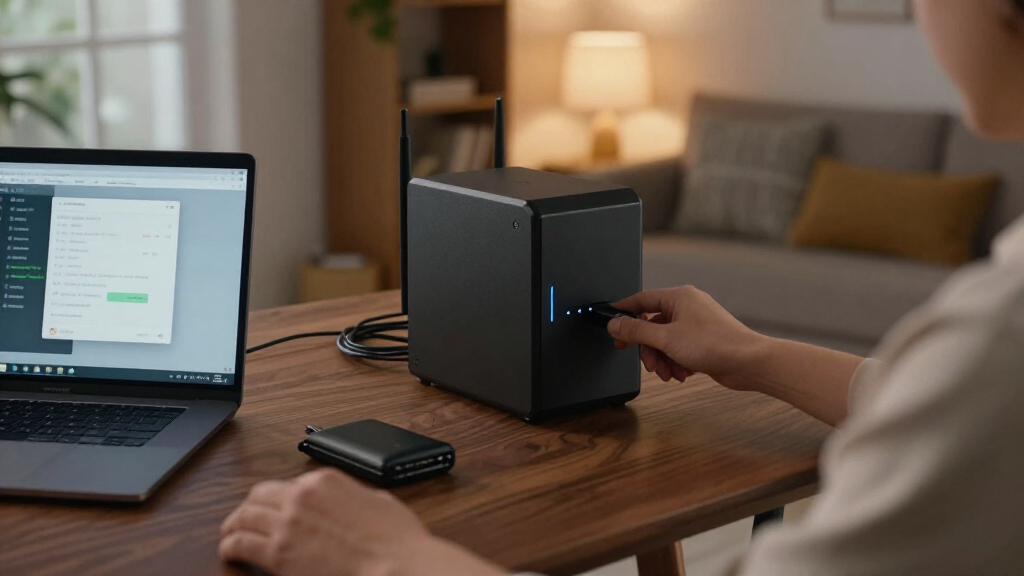
I ranked these devices for the specific job of storing encrypted wallet backups and related files, not for general media-server performance. I weighed setup demands, bay count, storage flexibility, backup workflow, and whether the product is likely to suit a small personal archive or a broader home-storage role. A NAS can hold encrypted copies, but it is not a secure place for an exposed seed phrase or a substitute for an offline recovery plan.
The order favors a balance of usable backup features and manageable ownership. Two-bay devices rank well when they offer a practical path to mirrored drives without adding unnecessary capacity or complexity; beginner-focused products are judged on setup simplicity, while four-bay systems earn a place for buyers with larger storage plans. Diskless models carry the extra work and cost of choosing drives, and single-bay options rank lower for redundancy. The lineup includes products with different configurations, so buyers should verify included storage and current software capabilities before purchasing.
| nas for wallet backup | Drive configuration |
|---|---|
| Synology BeeStation 4TB Person | — |
| Synology DS425+ Private Cloud | Diskless |
| Synology DS124 1-Bay Diskless | Diskless |
| BUFFALO LinkStation 210 4TB 1- | — |
| Yxk Zero1 2‑Bay Desktop NAS | Diskless; drives sold separately |
| UGREEN NASync DXP2800 2-Bay Ne | — |
| UGREEN NAS DXP4800 GT 4-Bay fo | — |
| Synology DS225+ 2-Bay Diskless | Diskless |
| Synology DiskStation DS223j 2- | Diskless |
| UGREEN DH2300 2-Bay NAS for Pe | — |
Factors to Consider When Choosing Nas For Wallet Backups
Choosing a NAS for wallet backups starts with the security plan around it, not the storage capacity alone. I would decide how the encrypted backup will be created, who can access it, and how another copy will survive if the NAS is lost or compromised. These broader checks can matter more than choosing between two similar enclosures.
Separate Wallet Secrets From the NAS
A NAS is best treated as a destination for an encrypted backup file, not as a place to store an unprotected recovery phrase. Keep seed words offline in a method designed for recovery, and avoid putting them in ordinary folders, synced notes, or screenshots. If the wallet application offers an encrypted export, understand its recovery process before relying on it. A NAS account with broad access can expose every file it can reach, so create a dedicated account or folder with limited permissions. A convenient network copy is useful, but it should not become the only way to recover funds.
Do Not Mistake Drive Mirroring for a Backup
Two drives configured as a mirror can keep the NAS available after one drive fails, but they also mirror many unwanted changes. Deletion, file corruption, malware, and account compromise may affect both copies. Keep at least one additional copy that is not continuously writable from the NAS, such as an offline drive or a carefully protected off-site backup. A backup plan should include a restore check, since a file that cannot be decrypted or opened is not useful protection. Buyers often spend on extra bays while leaving this separate-copy problem unsolved.
Choose Bays for Your Backup Plan, Not a Bigger Number
A single-bay NAS can be enough for a small encrypted archive when another independent copy exists, but it cannot mirror its drive internally. A two-bay system offers a straightforward route to a mirror, though usable capacity is lower than the combined raw drive capacity in that arrangement. Four bays can support larger storage plans and more flexible drive layouts, but add drive costs, setup choices, and maintenance. Wallet backup files are usually small, so added capacity is rarely a reason on its own to buy a larger chassis. Choose more bays when you expect other files or services to share the system.
Account for Drive Selection and Replacement
Diskless NAS models let you choose drive capacity and type, but the enclosure is only part of the total setup. Check the manufacturer’s drive compatibility guidance, then budget for the drives, any needed replacement later, and a separate backup destination. A model sold with a drive reduces initial setup decisions, although it may offer less control over capacity and replacement choices. Keep a record of the drive model and configuration, and learn how the NAS signals a drive problem before one occurs. The easiest system to maintain is often more useful than a larger one whose upkeep you will postpone.
Limit Remote Access and Keep Recovery Paths
Remote access can make backups easier to reach, but it also adds an internet-facing account or service to protect. Use unique credentials, multi-factor authentication where available, and only the remote features you actually need. Keep NAS software updated and avoid exposing administrative access directly to the internet without understanding the risks. Store recovery codes and setup details separately from the NAS so a device failure does not lock you out of the backup plan. If you only need local copies, leaving remote access off reduces both complexity and exposure.
Test That You Can Restore the Backup
Creating a copy is only half the job: you need to know that it can be recovered. Test with a noncritical file or a duplicate wallet export, and confirm the password, encryption key, and software needed to read it. A restore test also reveals whether your NAS backup process captures the right files or merely syncs an empty or outdated folder. Set a repeatable schedule that fits how often your wallet data changes, then record the date of the last successful check. Keep the instructions somewhere accessible if the NAS itself is unavailable.
Frequently Asked Questions
Can I store my wallet seed phrase on a NAS?
I would not store an unencrypted seed phrase on a NAS, shared folder, or device that stays connected to a network. Anyone who gains access to the file could potentially control the wallet. Keep recovery words offline using a secure method, and use the NAS only for appropriately encrypted backup files where the wallet supports them. Store the encryption password or recovery material separately from the NAS. A NAS copy should supplement, not replace, a tested offline recovery plan.
Is a two-bay NAS safer for wallet backups than a one-bay model?
A two-bay NAS can mirror data across drives, which helps if one drive fails. That does not protect against theft, ransomware, accidental deletion, or a faulty backup process, since those problems can affect both mirrored drives. A one-bay NAS can still be part of a sound plan if you keep an independent copy elsewhere. Choose two bays for drive-failure tolerance, but plan a separate offline or off-site copy either way. The extra bay is not a complete backup strategy by itself.
Do I need a four-bay NAS for wallet files?
Usually not for wallet files alone, which tend to require little space compared with photo and video libraries. Four bays are more useful if the NAS will also serve a household, creative workflow, or growing archive, or if you want more drive-layout options. The additional bays bring more drive purchases and maintenance decisions. A smaller NAS plus a separate backup copy may provide a simpler fit for a personal wallet archive. Base the choice on the full storage workload rather than the wallet files in isolation.
Should I choose a NAS with an included drive or a diskless model?
An included-drive product can make setup more direct because storage is already part of the package, but it offers less choice over drive capacity and selection. A diskless NAS lets you choose drives to match your preferred capacity and replacement plan, at the cost of extra research and setup. In this roundup, the Buffalo LinkStation 210 is the included-drive option, while most of the Synology and UGREEN enclosures require separate drives. Check the exact package contents before buying, including whether the advertised capacity is usable as configured. For either type, plan a separate copy beyond the NAS.
How often should I test a wallet backup stored on my NAS?
Test the recovery process when you first set up the backup, then repeat it on a schedule and after changing the wallet, encryption method, or NAS configuration. A small test file can confirm that storage and access work, while a duplicate wallet export can check the actual recovery steps without putting your primary wallet at risk. Keep the password, software requirements, and instructions available outside the NAS. The right interval depends on how often your wallet data changes, but waiting until a device failure is too late. Record each successful test so you can tell whether the latest copy has been verified.
Conclusion
For most buyers, I would choose the Synology DS225+ as the best overall balance for a personal archive that benefits from two bays. The Buffalo LinkStation 210 is the best value-oriented fit for someone who wants included storage and a simpler hardware decision, while the UGREEN NASync DXP2800 is the best premium two-bay direction for buyers who want a more capable enclosure. For beginners prioritizing a personal-cloud style setup, the Synology BeeStation is the easiest place to start; buyers wanting a basic diskless enclosure can compare it with the Synology DS124. For larger mixed-use storage plans, the Synology DS425+ and UGREEN DXP4800 GT offer four-bay paths, while the DS223j, Yxk Zero1, and UGREEN DH2300 are alternatives for buyers weighing simpler or different two-bay setups. Whichever model you select, protect the wallet export with encryption and keep another copy separate from the NAS.
Halloween Picks
halloween
As an affiliate, we earn on qualifying purchases.