
Using external drives for your records, taxes, and exports helps keep your sensitive data protected and easily accessible. Look for drives with strong security features like hardware encryption, password protection, and automatic locking. Choose options with enough storage capacity and fast connection types, such as USB 3.0 or USB-C, to suit your needs. Regular backups and secure data management are essential—stay with us to discover how to optimize your external drive security and usage.
Key Takeaways
- Choose drives with sufficient capacity (at least 1TB) for large records, taxes, and export files.
- Prioritize fast data transfer interfaces like USB 3.0 or USB-C for efficient access.
- Select external drives with hardware encryption and password protection to secure sensitive financial data.
- Implement regular automated backups to external drives for reliable record-keeping and tax documentation.
- Opt for durable, shock-resistant drives to protect important data from physical damage or theft.
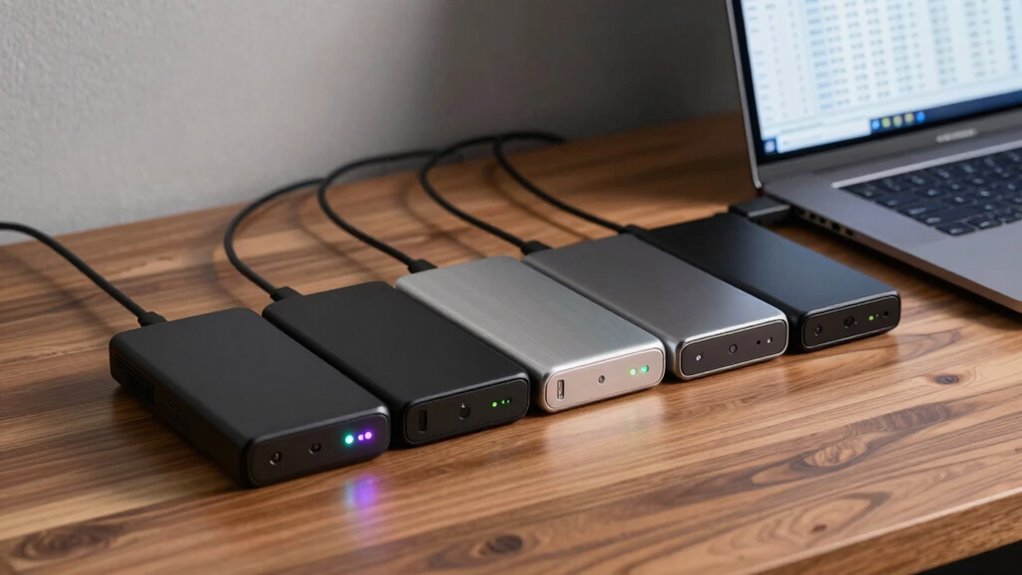
In today’s digital world, managing records, taxes, and exports efficiently often depends on having reliable external drives. These drives serve as vital tools for safeguarding sensitive information, ensuring you can access your data anytime without relying solely on cloud storage. When selecting an external drive, one of your top priorities should be data encryption. This security feature protects your files from unauthorized access by converting your data into an unreadable format unless you have the correct decryption key. With encryption, even if your drive is lost or stolen, your confidential information remains secure.
Implementing solid backup strategies is equally important. You should regularly back up your records, tax documents, and export data to external drives, creating multiple copies across different devices. This redundancy ensures that if one drive fails or becomes compromised, you still have access to your critical information. Automating backups can save time and reduce the risk of forgetting to save updated files manually. Additionally, consider using drives with built-in backup software, which simplifies the process and provides additional layers of security, such as password protection. Employing backup software with encryption capabilities can further enhance your data security.
Regular, automated backups on external drives safeguard your critical data from failure or theft.
Choosing the right external drive involves examining factors like storage capacity, speed, and durability. For handling large files, especially export data, opt for drives with high storage capacities—at least 1TB or more. Speed is crucial when transferring sizable files, so look for drives with fast data transfer rates, such as SSDs (Solid State Drives). Durability matters if you travel frequently or work in environments where drives might be subjected to physical stress. Rugged external drives with shock and water resistance can help protect your data from accidental damage. Considering data security features during the selection process can further enhance your protection. Additionally, understanding the types of encryption available can help you select a drive that aligns with your security needs.
You should also consider the type of connection the external drive uses. USB 3.0 or USB-C ports offer faster data transfer compared to older standards, reducing wait times when copying large files. Compatibility with your existing devices is essential, so verify that the drive supports your operating system, whether Windows, macOS, or Linux. Additionally, selecting drives with hardware encryption can provide an extra layer of security, safeguarding your data from unauthorized access even if the drive falls into the wrong hands. Choosing a drive with encryption protocols aligned to your security needs can further bolster your data protection.
Lastly, security features like hardware encryption, password protection, and automatic locking can add an extra layer of safety. These features ensure that even if someone gains physical access to the drive, they can’t access your sensitive records, taxes, or export data without proper authorization. By combining robust encryption, strategic backups, and choosing a suitable drive, you can keep your critical information safe, organized, and accessible whenever you need it.

Western Digital 2TB My Passport SSD Portable External Solid State Drive, Gray, Sturdy and Blazing Fast, Password Protection with Hardware Encryption – WDBAGF0020BGY-WESN
Blazing fast NVMe technology with speeds of up to 1050MB/s and write speeds of up to 1000MB/s. |…
As an affiliate, we earn on qualifying purchases.
As an affiliate, we earn on qualifying purchases.
Frequently Asked Questions
How Do External Drives Impact Data Security?
External drives can substantially impact your data security. If you use strong encryption protocols, your data stays protected even if the drive falls into wrong hands. However, physical security is essential; if you lose the drive or it gets stolen, sensitive information could be compromised. Always make certain your external drives are encrypted and stored securely to maintain control over your records, taxes, and exports.
Are There Specific Brands Recommended for Record Management?
Did you know that over 70% of users trust Seagate and Western Digital for reliable data storage? When choosing external drives for record management, focus on brand reliability and storage capacity. Brands like Seagate, Western Digital, and Samsung consistently rank high for durability and performance. They offer a range of capacities, so you can select one that fits your needs, ensuring your records stay safe and accessible.
What Are the Best Practices for Regularly Backing up Data?
You should regularly back up your data by setting up automatic cloud backups, ensuring your records are always current. Use strong encryption methods to secure sensitive information during transfer and storage. Verify your backups periodically by restoring some files to confirm their integrity. Keep multiple copies—both on external drives and in the cloud—to prevent data loss from hardware failure or cyber threats. Consistency and security are key to effective data backup practices.
How Do External Drives Handle Large Export Files?
External drives handle large export files like a freight train, moving data efficiently if you consider file transfer speeds and compatibility. To guarantee smooth transfers, pick a drive with fast USB or Thunderbolt connections. Compatibility considerations are key; choose a drive that works seamlessly with your operating system. This way, you avoid bottlenecks or data corruption, and your large files reach their destination without a hitch.
What Are the Cost Considerations for High-Capacity Drives?
When considering high-capacity drives, you should focus on cost efficiency and storage scalability. These drives can be pricey upfront, but they save you money long-term by reducing the need for multiple smaller drives. Look for options that offer a balance between affordable prices and ample storage, ensuring you can expand as your data grows without overspending. This way, you maximize value and maintain flexible storage solutions.

YOTUO 1TB External Hard Drive, Portable Storage Expansion HDD, USB 3.0 & USB-C for PC, Mac, Desktop, Laptop, Smartphone, PS4, Xbox One, Xbox 360, Office & Game
【Versatile Storage Expansion – For Gaming, Work & Everyday Use】 Running out of space on your PS5 or…
As an affiliate, we earn on qualifying purchases.
As an affiliate, we earn on qualifying purchases.
Conclusion
Investing in the right external drive isn’t just a smart move; it’s your fortress against data loss in a world where digital chaos reigns. With your records, taxes, and exports securely stored, you’ll never fear a crash or disaster again. Think of it as your personal data superhero, saving the day every time. Choose wisely, back up often, and keep your digital life as protected as a bank vault—because your peace of mind is worth it!

Seagate Portable 2TB External Hard Drive HDD — USB 3.0 for PC, Mac, PlayStation, & Xbox -1-Year Rescue Service (STGX2000400)
Easily store and access 2TB to content on the go with the Seagate Portable Drive, a USB external…
As an affiliate, we earn on qualifying purchases.
As an affiliate, we earn on qualifying purchases.
Seagate Portable 2TB External Hard Drive HDD — USB 3.0 for PC, Mac, PlayStation, & Xbox -1-Year Rescue Service (STGX2000400)
Easily store and access 2TB to content on the go with the Seagate Portable Drive, a USB external…
As an affiliate, we earn on qualifying purchases.
As an affiliate, we earn on qualifying purchases.