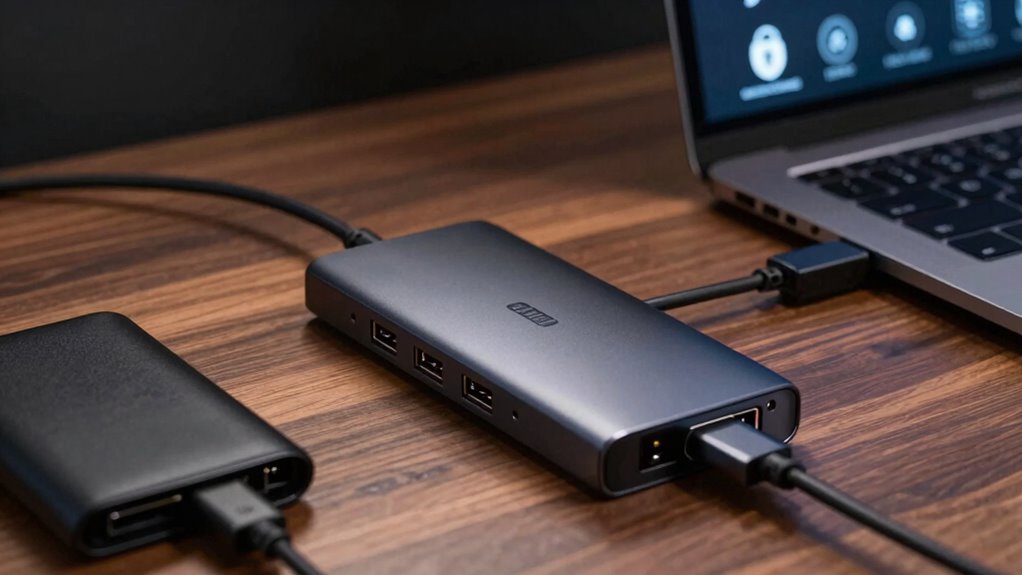

For connecting hardware wallets and security keys, I’d put the JESWO 11-Port Powered USB 3.0 Hub first for its individual switches and powered design, which make managing several devices more straightforward. The KEYMOX 4-Port USB 3.0 Data Hub is a simpler fit for a small desk setup, while the Mcvaeijiu 3-Port Hub offers both USB-A and USB-C connector options for mixed-device use. The main tradeoffs are port count versus desk footprint, powered versus bus-powered operation, and whether you need data connections or charging too. A larger hub is not automatically better for sensitive devices; matching the hub to your device connections and routine matters more. Read on for the full comparison, selection criteria, and guidance on choosing a hub for your setup.

Get hardware and tech essentials delivered free with Prime
- Fast, free delivery on millions of items
- Prime Video, Amazon Music and more included
- Member-only deals all year
Key Takeaways
- The JESWO’s individual port switches set it apart for users who want to disconnect devices at the hub without pulling out plugs; a compact four-port model is less bulky if that control is unnecessary.
- Powered hubs suit larger, more varied setups, but the 16-port SABRENT is more hub than many hardware-wallet and security-key users need unless they also connect other peripherals.
- USB connector compatibility can outweigh port count: the Mcvaeijiu’s USB-A and USB-C connectors address mixed-host connections, while several other listed hubs focus on USB-A.
- Four-port options are the practical starting point for one wallet, a couple of security keys, and occasional peripherals; the two-pack Fidioto adds flexibility across separate work areas.
- Long cables and desk-oriented designs solve placement problems, not security concerns. Cable reach and physical layout should be weighed separately from device security and connection requirements.
| JESWO 11-Port Powered USB 3.0 Hub with Individual Switches |  | Best for Desk-Based Key Setups | Ports: 11 total: 10 USB 3.0 data ports and 1 charging port | Maximum data rate: Up to 5 Gbps | Charging output: Up to 2.4 A | VIEW ON AMAZON | See Our Full Breakdown |
| Fidioto Slim 4-Port USB Hub, 2-Pack |  | Best for Two Compact Setups | Pack size: 2 hubs | Ports per hub: 4: 1 USB 3.0 and 3 USB 2.0 | Maximum data rate: Up to 5 Gbps | VIEW ON AMAZON | See Our Full Breakdown |
| PHIXERO 7-Port USB 3.0 Hub with 1 m Cable |  | Best for Broad Device Compatibility | Ports: 7 USB ports | Interface: USB 3.0 | Maximum data rate: Up to 5 Gbps | VIEW ON AMAZON | See Our Full Breakdown |
| Mcvaeijiu 3-Port USB Hub with USB-A and USB-C Connectors |  | Best Compact Dual-Connector Pick | Ports: 3 total: 2 USB 2.0 and 1 USB 3.0 | Maximum data rate: Up to 5 Gbps | Connectors: USB-A and USB-C options | VIEW ON AMAZON | See Our Full Breakdown |
| IVETTO 7-Port USB 3.0 Hub with 3.3 ft Cable |  | Best for Seven Data-Only Connections | Ports: 7 USB 3.0 ports | Maximum data rate: Up to 5 Gbps | Cable length: 3.3 ft | VIEW ON AMAZON | See Our Full Breakdown |
| atolla 7-Port USB 3.0 Aluminum Desk Hub with Sliding Rails |  | Best for a Fixed, Organized Setup | Ports: 7 USB 3.0 | Maximum data transfer rate: Up to 5Gbps | Power input: 5V/3A USB-C | VIEW ON AMAZON | See Our Full Breakdown |
| FORIDA Aluminum 8-Port USB Hub with 47.2-Inch Cable |  | Best for Long-Reach Desk Connections | Total ports: 8: seven USB 3.0 data ports and one USB-C power interface | Maximum data transfer rate: Up to 5Gbps | Cable length: 47.2 in | VIEW ON AMAZON | See Our Full Breakdown |
| Fidioto 4-Port USB Hub with USB 3.0 and USB 2.0 Ports |  | Best for Travel and Mixed-Speed Devices | Ports: 4 total: 1 USB 3.0 and 3 USB 2.0 | Maximum data transfer rate: Up to 5Gbps on the USB 3.0 port | Maximum output current: 900 mA | VIEW ON AMAZON | See Our Full Breakdown |
| KEYMOX 4-Port USB 3.0 Data Hub |  | Best for Four Fast Data Connections | Total USB ports: 4 | Maximum data transfer rate: Up to 5Gbps | USB compatibility: USB 3.0 and USB 2.0 | VIEW ON AMAZON | See Our Full Breakdown |
| SABRENT 16-Port Powered USB 3.0 Type-A Hub and Charger, 90W (HB-PU16) |  | Best for a Large, Powered USB-A Station | Ports: 16 USB 3.0 Type-A | USB-C: Not supported | Maximum data transfer rate: Up to 5Gbps | VIEW ON AMAZON | See Our Full Breakdown |
| usb hub for hardware wallets and key | Ports | Compatibility | Maximum data rate | Enclosure |
|---|---|---|---|---|
| JESWO 11-Port Powered USB 3.0 | 11 total: 10 USB 3.0 data ports and 1 charging port | Windows, macOS, Linux | Up to 5 Gbps | — |
| Fidioto Slim 4-Port USB Hub | — | — | Up to 5 Gbps | Aluminum |
| PHIXERO 7-Port USB 3.0 Hub wit | 7 USB ports | USB 3.0, USB 2.0, and USB 1.1 devices | Up to 5 Gbps | — |
| Mcvaeijiu 3-Port USB Hub with | 3 total: 2 USB 2.0 and 1 USB 3.0 | — | Up to 5 Gbps | — |
| IVETTO 7-Port USB 3.0 Hub with | 7 USB 3.0 ports | Windows, Mac OS X, Linux, Unix | Up to 5 Gbps | Plastic |
| atolla 7-Port USB 3.0 Aluminum | 7 USB 3.0 | Windows, macOS, Linux, Chrome OS | — | — |
| FORIDA Aluminum 8-Port USB Hub | — | Windows, macOS, Linux | — | — |
| Fidioto 4-Port USB Hub with US | 4 total: 1 USB 3.0 and 3 USB 2.0 | Laptops, MacBook, MacBook Air, MacBook Pro, notebook PCs, and USB devices | — | Aluminum |
| KEYMOX 4-Port USB 3.0 Data Hub | — | — | — | Plastic, black |
| SABRENT 16-Port Powered USB 3. | 16 USB 3.0 Type-A | Windows, Mac, Linux | — | Aluminum |
More Details on Our Top Picks
JESWO 11-Port Powered USB 3.0 Hub with Individual Switches
For a fixed workstation with several hardware wallets, security keys, and other USB peripherals, the JESWO JE-311 offers the most port control in this group. Its 10 USB 3.0 data ports let you keep devices connected, while separate switches and LEDs make it easier to turn individual ports off when they are not in use. That is a practical distinction from the PHIXERO 7-Port Hub and IVETTO 7-Port Hub, which provide fewer ports and no listed individual switches. The tradeoff is a larger, powered desk setup: the included 12 V adapter is needed for full operation, and the separate charging port is limited to 2.4 A. Its plastic enclosure also feels less desk-premium than aluminum alternatives. I’d choose it for a permanent multi-device station, not a travel kit.
Pros:- Ten USB 3.0 data ports provide more connection capacity than the seven-port PHIXERO and IVETTO hubs.
- Individual switches and LED indicators allow straightforward control of connected devices.
- Included 12 V/3 A adapter supports powered operation, with overheat protection listed.
- Works with Windows, macOS, and Linux.
Cons:- Needs its included power adapter for full functionality, adding a separate cable and outlet requirement.
- The charging port is limited to 2.4 A and is separate from the data ports.
- Plastic enclosure is less substantial than the aluminum Fidioto and Mcvaeijiu options.
Best for: Desktop users who regularly connect several hardware wallets and security keys and want to switch individual ports off without unplugging devices.
Not ideal for: Laptop users seeking a compact bus-powered hub, or anyone who needs strong charging output alongside data connections.
- Ports:11 total: 10 USB 3.0 data ports and 1 charging port
- Maximum data rate:Up to 5 Gbps
- Charging output:Up to 2.4 A
- Power adapter:12 V/3 A, 36 W
- Port controls:Individual on/off switches with LED indicators
- Compatibility:Windows, macOS, Linux
- Cables:100 cm USB cable; 120 cm power cord
- Enclosure and warranty:Black plastic; 3-year warranty
Our verdict“Choose the JESWO for a powered desk station with many connected keys and wallets, and skip it if compactness matters more than port count.”
Fidioto Slim 4-Port USB Hub, 2-Pack
The Fidioto 2-pack suits buyers who want a small hub at two separate desks or a spare to keep with a laptop bag. Each slim aluminum unit adds one USB 3.0 port and three USB 2.0 ports, enough for a security key, a wallet, and a few lower-speed accessories. Compared with the Mcvaeijiu 3-Port Hub, each Fidioto provides one more connection, though Mcvaeijiu offers both USB-A and USB-C connector options. The mixed port speeds matter: keep any device that needs the listed 5 Gbps rate on the single USB 3.0 port; the other three are USB 2.0. Its 900 mA maximum output also makes this a poor choice for power-hungry peripherals, and the stated operating-system list is narrower than the Linux support listed for JESWO and PHIXERO. The two-unit package is the point, not high-power versatility.
Pros:- Two hubs provide separate compact connection points for different desks or bags.
- Each unit has four ports, including one USB 3.0 connection rated up to 5 Gbps.
- Slim aluminum enclosure is lightweight and space-conscious.
- Useful for combining a wallet or key with lower-speed USB accessories.
Cons:- Only one of the four ports is USB 3.0; three are limited to USB 2.0.
- Maximum output current is 900 mA, restricting suitability for higher-power peripherals.
- Listed operating-system compatibility is limited to Mac OS 9, Windows 7, and Windows 10, with a six-month warranty.
Best for: People maintaining two modest USB setups—such as a home workstation and travel bag—with hardware wallets or keys that do not need multiple high-speed ports.
Not ideal for: Users connecting several high-throughput devices, power-hungry peripherals, or computers running Linux or newer unsupported systems.
- Pack size:2 hubs
- Ports per hub:4: 1 USB 3.0 and 3 USB 2.0
- Maximum data rate:Up to 5 Gbps
- Maximum output current:900 mA
- Enclosure:Aluminum
- Dimensions:3.54 × 0.83 × 0.39 in
- Weight:0.05 kg
- Listed compatibility:Mac OS 9, Windows 7, Windows 10
- Warranty:6 months
Our verdict“Pick this two-pack for two lightweight, low-power setups, but choose a hub with more USB 3.0 ports for faster or more demanding devices.”
PHIXERO 7-Port USB 3.0 Hub with 1 m Cable
The PHIXERO XE7U is a flexible middle ground for someone who wants seven USB 3.0 ports and may move between computers or operating systems. It lists support for Windows, macOS, Linux, and Android, and its 1 m cable can make it easier to position the hub beside a laptop or tablet rather than crowding the host port. Unlike the powered JESWO 11-Port Hub, it does not include an adapter; a USB-C 5 V/3 A power input is provided, but the adapter is sold separately. That makes the PHIXERO less ready for a fully powered desk setup, though its broad compatibility and smaller port count may suit mixed-device households. For hardware wallets and security keys, the seven ports are ample, but power-dependent peripherals may call for another option.
Pros:- Seven USB 3.0 ports provide room for multiple keys, wallets, and peripherals.
- Listed support spans Windows, macOS, Linux, and Android.
- One-meter cable allows more flexible placement than a short, directly attached hub.
- Backward compatibility supports USB 2.0 and USB 1.1 devices.
Cons:- Power adapter is not included, adding a separate purchase for external power.
- External power is recommended for high-power devices, including SSDs over 4 TB.
- ABS enclosure offers a less premium finish than the aluminum Fidioto or Mcvaeijiu hubs.
Best for: Users who connect hardware wallets and keys across Windows, macOS, Linux, or Android setups and value a longer cable over built-in power.
Not ideal for: Buyers who want a complete powered hub in the box or plan to run several power-hungry peripherals without sourcing a separate adapter.
- Ports:7 USB ports
- Interface:USB 3.0
- Maximum data rate:Up to 5 Gbps
- Cable length:1 m (3.3 ft)
- Power input:USB-C, 5 V/3 A
- Power adapter:Not included
- Compatibility:USB 3.0, USB 2.0, and USB 1.1 devices
- Operating systems:Windows, Mac OS 10.X and above, Linux, Android
- Enclosure and weight:Black ABS; 80 g
Our verdict“Choose the PHIXERO when broad system support and seven data ports matter more than having a power adapter included.”
Mcvaeijiu 3-Port USB Hub with USB-A and USB-C Connectors
When the priority is carrying a tiny hub that can connect through either USB-A or USB-C, the Mcvaeijiu LS501 has a clear niche. Its 10 g aluminum body measures just 2.64 × 1.14 × 0.27 inches, making it far easier to pack than the desk-oriented JESWO 11-Port Hub or the cable-equipped PHIXERO 7-Port Hub. It provides three data ports, but only one is USB 3.0; the other two are USB 2.0. That is enough for a hardware wallet and a couple of low-speed accessories, not a fast multi-device station. Its USB-A and USB-C connector options broaden where it can plug in, while the Fidioto two-pack offers more ports per unit but lacks the same stated connector choice. Choose Mcvaeijiu for portability, not expansion headroom.
Pros:- Very compact 10 g aluminum design is convenient for a travel kit.
- USB-A and USB-C connector options support a wider range of host devices.
- One USB 3.0 port supports data rates up to 5 Gbps.
- Compatibility includes Windows, macOS, Linux, and Android.
Cons:- Only one of three ports supports USB 3.0; the remaining ports are USB 2.0.
- Three ports provide less expansion than the seven-port PHIXERO and IVETTO hubs.
- No external power input or charging capability is listed.
Best for: Traveling laptop and tablet owners who need a very small hub for one hardware wallet or key plus a couple of low-speed peripherals.
Not ideal for: Users who need several high-speed ports, a powered connection for demanding devices, or extensive desktop expansion.
- Ports:3 total: 2 USB 2.0 and 1 USB 3.0
- Maximum data rate:Up to 5 Gbps
- Connectors:USB-A and USB-C options
- Material:Aluminum
- Dimensions:2.64 × 1.14 × 0.27 in
- Weight:10 g
- Compatible systems:Windows, macOS, Linux, Android
- Items included:2
Our verdict“Choose Mcvaeijiu for a pocketable hub with USB-A and USB-C options, but not for multiple high-speed devices.”
IVETTO 7-Port USB 3.0 Hub with 3.3 ft Cable
The IVETTO 7-Port Hub keeps its job simple: add seven USB 3.0 data ports for a computer’s keys, hardware wallets, card readers, and other peripherals. All seven ports are listed as USB 3.0, unlike the Fidioto Slim Hub, where three of four ports are USB 2.0. Its 3.3 ft cable also gives more placement freedom than a compact connector-style hub such as the Mcvaeijiu LS501. IVETTO lists safeguards for overcurrent, overvoltage, short circuits, and high temperatures, which add protection when multiple devices are connected. The tradeoff is a firm limit: it does not support charging, and no external power adapter is listed. Buyers who need a powered desk hub should look at the JESWO or PHIXERO instead; this is a data-expansion choice.
Pros:- All seven ports are USB 3.0, unlike mixed-speed hubs such as the Fidioto.
- Supports data rates up to 5 Gbps.
- The 3.3 ft cable allows flexible placement near a computer.
- Listed safeguards cover overcurrent, overvoltage, short circuits, and high temperatures.
Cons:- Does not support charging.
- No external power adapter is listed for power-demanding device combinations.
- Plastic enclosure is bulkier and less premium than compact aluminum options.
Best for: Desktop or laptop users who need seven USB 3.0 data connections for wallets, security keys, and low-to-moderate-power peripherals.
Not ideal for: Anyone who needs device charging, a listed external power supply, or a compact aluminum travel hub.
- Ports:7 USB 3.0 ports
- Maximum data rate:Up to 5 Gbps
- Cable length:3.3 ft
- Compatibility:Windows, Mac OS X, Linux, Unix
- Charging support:No
- Safeguards:Overcurrent, overvoltage, short-circuit, and high-temperature protection
- Dimensions:2.87 × 1.97 × 1.97 in
- Enclosure:Plastic
Our verdict“Choose IVETTO for seven USB 3.0 data connections and built-in electrical safeguards, but skip it if you need charging or powered operation.”
atolla 7-Port USB 3.0 Aluminum Desk Hub with Sliding Rails
I’d choose the atolla when keeping wallet and security-key connections tidy at a desk matters more than portability. Its seven USB 3.0 data ports give you room to leave several devices connected, while the removable sliding rails let you mount the hub under a desk, on a monitor stand, or on a wall. That placement can make it easier to access keys without adding another loose box to the desktop. Compared with the portable Fidioto 4-Port USB Hub, atolla offers more ports and a cleaner permanent setup, but it is less suited to travel. It supports up to 5Gbps and several operating systems; the catch is that its USB-C power adapter is not included, and high-draw devices need separate power.
Pros:- Seven USB 3.0 ports provide room for multiple keys and peripherals.
- Removable rails allow under-desk, monitor-stand, or wall mounting.
- Up to 5Gbps data transfer suits routine device communication and file transfers.
- Works with Windows, macOS, Linux, and Chrome OS.
Cons:- USB-C power adapter is not included.
- High-draw devices require a separate power adapter.
- Mounting and fixed-desk design are less convenient for portable use.
Best for: Desk-based hardware-wallet owners who want several USB-A keys and peripherals connected in a mounted, easy-to-reach location.
Not ideal for: Travelers or buyers who want a powered hub ready to use out of the box, since the adapter must be supplied separately.
- Ports:7 USB 3.0
- Maximum data transfer rate:Up to 5Gbps
- Power input:5V/3A USB-C
- Power adapter:Not included
- Compatibility:Windows, macOS, Linux, Chrome OS
- Housing:Aluminum, black
- Dimensions:5.31 × 1.16 × 0.71 in
- Mounting:Removable sliding rails for under-desk, monitor-stand, or wall mounting
Our verdict“Choose atolla for a mounted, multi-device desk setup; pick the Fidioto instead if you need a small travel hub.”
FORIDA Aluminum 8-Port USB Hub with 47.2-Inch Cable
The FORIDA’s clearest advantage for a hardware-wallet setup is its 47.2-inch cable: it can reach a host computer positioned farther from the spot where you want to plug in keys. Seven USB 3.0 data ports provide useful capacity, while the separate USB-C interface supplies power to the hub rather than charging connected devices. That distinction matters if you’re choosing a hub for data connections, not device charging. Compared with the mountable atolla 7-Port USB 3.0 Aluminum Desk Hub, FORIDA gives you a longer stated cable and a simple flexible placement option, but it lacks atolla’s mounting rails. It supports up to 5Gbps, plug-and-play setup, and hot swapping. The main compromise is that its power cable is not included, and its USB-C port is not a data or charging port.
Pros:- Seven USB 3.0 data ports accommodate multiple keys and peripherals.
- 47.2-inch cable allows flexible placement relative to the host computer.
- Aluminum housing and up to 5Gbps data transfer.
- Supports plug-and-play setup and hot swapping.
Cons:- Power cable is not included.
- USB-C port is for hub power and does not charge connected devices.
- USB-C port is not an additional data port.
Best for: People who need to place a seven-port USB hub away from their computer to connect hardware wallets and security keys more comfortably.
Not ideal for: Buyers who need an included power cable, USB-C data connectivity, or charging for devices connected to the hub.
- Total ports:8: seven USB 3.0 data ports and one USB-C power interface
- Maximum data transfer rate:Up to 5Gbps
- Cable length:47.2 in
- Power cable:Not included
- Material:Aluminum
- Compatibility:Windows, macOS, Linux
- Weight:0.1 kg
- USB-C function:Powers the hub; does not charge connected devices
Our verdict“Pick FORIDA when cable reach and seven data ports matter more than mounting hardware or an included power cable.”
Fidioto 4-Port USB Hub with USB 3.0 and USB 2.0 Ports
For a compact travel kit, I’d favor this Fidioto over the larger desk hubs: its 24 g aluminum body is small enough to carry alongside a laptop and a hardware wallet. The four ports can all be used at once, but they are not equivalent: only one is USB 3.0, rated up to 5Gbps, while the other three are USB 2.0. That makes the layout a better match for a high-speed wallet or key plus lower-demand accessories than for several fast data devices. Compared with the KEYMOX 4-Port USB 3.0 Data Hub, Fidioto spells out the mixed USB 3.0/2.0 arrangement and gives you a lightweight aluminum enclosure, but it has only one faster port. Its 900 mA maximum output current also limits what you should connect at once.
Pros:- Compact 24 g aluminum design is suited to travel.
- Four ports can be used simultaneously.
- One USB 3.0 port supports data transfer up to 5Gbps.
- Three USB 2.0 ports can serve lower-speed peripherals.
Cons:- Only one of the four ports is USB 3.0.
- Maximum output current is limited to 900 mA.
- Six-month warranty is shorter than the atolla hub’s two-year warranty.
Best for: Laptop users who travel with one fast hardware-wallet or security-key connection and a few lower-speed USB accessories.
Not ideal for: Buyers who need multiple USB 3.0 ports or intend to connect devices with higher power demands.
- Ports:4 total: 1 USB 3.0 and 3 USB 2.0
- Maximum data transfer rate:Up to 5Gbps on the USB 3.0 port
- Maximum output current:900 mA
- Dimensions:3.54 × 0.83 × 0.39 in
- Weight:24 g
- Enclosure:Aluminum
- Compatibility:Laptops, MacBook, MacBook Air, MacBook Pro, notebook PCs, and USB devices
- Warranty:Six months
Our verdict“Choose Fidioto for a light travel kit with mixed-speed devices, but choose KEYMOX if you want all four ports to support USB 3.0.”
KEYMOX 4-Port USB 3.0 Data Hub
KEYMOX earns its place for buyers who want a straightforward way to connect several USB-A hardware wallets or security keys without mixing port speeds. It expands one host port into four USB 3.0/USB 2.0-compatible ports, with data transfer up to 5Gbps and no driver installation. Compared with the Fidioto 4-Port USB Hub, which has just one USB 3.0 port and three USB 2.0 ports, KEYMOX is the more consistent choice when multiple connected devices need USB 3.0 data capability. The tradeoff is modest power: the listed maximum USB output is 5V/0.9A, and this hub does not support charging. Its plastic enclosure is also less substantial than the aluminum housings on Fidioto and FORIDA.
Pros:- Four ports support USB 3.0 and USB 2.0 devices.
- Data transfer speeds reach up to 5Gbps.
- No drivers or software are required.
- Compact design suits a small desk or travel setup.
Cons:- Does not support charging connected devices.
- Connected devices should stay within the 900 mA total power demand.
- Some 2.4 GHz wireless devices may not work reliably near the hub.
Best for: Users who want four compact, driver-free data ports for USB-A hardware wallets, security keys, and other low-power peripherals.
Not ideal for: Anyone who needs to charge connected devices, run higher-power accessories, or avoid potential 2.4 GHz wireless interference near the hub.
- Total USB ports:4
- Maximum data transfer rate:Up to 5Gbps
- USB compatibility:USB 3.0 and USB 2.0
- Power input:Micro port, up to 5V/2.4A
- Maximum USB output:5V/0.9A
- Charging:Not supported
- Enclosure:Plastic, black
- Supported operating systems:Windows, macOS, Linux
Our verdict“Choose KEYMOX over the mixed-speed Fidioto if four USB 3.0-capable data ports matter more than aluminum construction or charging.”
SABRENT 16-Port Powered USB 3.0 Type-A Hub and Charger, 90W (HB-PU16)
If one computer needs to keep a large collection of USB-A hardware wallets, keys, and other peripherals connected, SABRENT offers the most port capacity here: 16 switched USB 3.0 ports, each with its own LED. Individual switches make it easier to disconnect an idle device without unplugging it, while the included 90W adapter avoids the separate-power-adapter purchase required by atolla. Compared with FORIDA’s seven data ports, SABRENT is better suited to a crowded workstation, but its size and USB-A-only layout are less flexible for a small or USB-C-centered setup. Data speeds reach 5Gbps; each port supplies up to 1.1A, so this is for peripherals and light charging, not a bank of power-hungry drives. It also does not support USB 3.2 speeds.
Pros:- Sixteen USB-A data ports suit a large collection of connected devices.
- Individual switches and LEDs provide direct control and status visibility.
- Includes a 90W power adapter, USB 3.0 cable, and mounting hardware.
- Aluminum enclosure and plug-and-play support for Windows, Mac, and Linux.
Cons:- No USB-C ports are available.
- Each port supplies up to 1.1A, limiting use with power-hungry devices.
- Supports up to 5Gbps rather than faster USB 3.2 speeds.
Best for: Workstation users managing many USB-A hardware wallets, security keys, and low-power peripherals who value individual port control.
Not ideal for: Buyers with USB-C devices, a small portable setup, or multiple bus-powered external drives that need more than 1.1A per port.
- Ports:16 USB 3.0 Type-A
- USB-C:Not supported
- Maximum data transfer rate:Up to 5Gbps
- Power adapter:90W, 12V/7.5A; included
- Maximum current per port:1.1A
- Compatibility:Windows, Mac, Linux
- Enclosure:Aluminum
- Included accessories:Power adapter, USB 3.0 Type-A cable, mounting brackets, and screws
Our verdict“Choose SABRENT for a powered, switchable USB-A station with many low-power devices; skip it if you need USB-C or high-current drive support.”

How We Picked
I ranked these hubs for the specific job of connecting hardware wallets and security keys, rather than for general-purpose peripheral use. My main criteria were the number and type of ports, whether the hub has external power, the convenience of connecting and disconnecting devices, and practical details such as cable reach, compactness, and desk placement. For this use case, clear access to a small number of reliable data ports can matter more than a high port count or charging features.
The JESWO leads because its powered design and individual switches offer useful control as a setup grows. Compact four-port models rank well for straightforward use, while larger powered hubs place lower unless their capacity or desk features answer a specific need. Product descriptions do not establish compatibility with every wallet, key, operating system, or security workflow, so buyers should confirm those details with the device maker; I do not treat a hub as a security device or assume that more ports mean better protection.
| usb hub for hardware wallets and key | Compatibility | Enclosure | Maximum data transfer rate |
|---|---|---|---|
| JESWO 11-Port Powered USB 3.0 | Windows, macOS, Linux | — | — |
| Fidioto Slim 4-Port USB Hub | — | Aluminum | — |
| PHIXERO 7-Port USB 3.0 Hub wit | USB 3.0, USB 2.0, and USB 1.1 devices | — | — |
| Mcvaeijiu 3-Port USB Hub with | — | — | — |
| IVETTO 7-Port USB 3.0 Hub with | Windows, Mac OS X, Linux, Unix | Plastic | — |
| atolla 7-Port USB 3.0 Aluminum | Windows, macOS, Linux, Chrome OS | — | Up to 5Gbps |
| FORIDA Aluminum 8-Port USB Hub | Windows, macOS, Linux | — | Up to 5Gbps |
| Fidioto 4-Port USB Hub with US | Laptops, MacBook, MacBook Air, MacBook Pro, notebook PCs, and USB devices | Aluminum | Up to 5Gbps on the USB 3.0 port |
| KEYMOX 4-Port USB 3.0 Data Hub | — | Plastic, black | Up to 5Gbps |
| SABRENT 16-Port Powered USB 3. | Windows, Mac, Linux | Aluminum | Up to 5Gbps |
Factors to Consider When Choosing Usb Hub For Hardware Wallets And Keys
I’d choose a hub around how the wallet and keys connect, how often I plug them in, and where the computer sits—not around the largest port number on the box. These broader checks can prevent mismatched connectors, clutter, and unnecessary power hardware.
Check the host and device connectors first
Start by identifying the ports on both the computer and each device, including whether a device uses a cable or plugs directly into the host. USB-A and USB-C describe connector shapes, while the hub’s stated data standard describes another part of the connection; one does not automatically settle the other. A hub with mixed connectors can reduce adapter clutter, but it may not offer the same connector arrangement on every port. Avoid buying based only on a product photo, since included cables and host-side plugs affect compatibility. Check the wallet or key maker’s connection guidance if an adapter or hub is involved. When a device has an unusual cable or connection requirement, direct connection may be the safer first choice.
Choose port capacity for your actual routine
Count the devices you expect to leave connected, then add only a little room for occasional use. A hardware wallet, two keys, and a mouse can fit a modest hub, while a hub intended to serve storage drives and other desk equipment may call for more ports. Oversizing can mean a larger enclosure, more cables, and a power supply that adds clutter without helping the security devices. Undersizing has its own cost: frequent swapping can wear on connectors and interrupt a signing or login routine. If you use devices in two locations, a pair of small hubs may suit you better than one large desk unit. Keep at least one direct computer port available if a device’s maker recommends a direct connection.
Decide whether external power is useful
A powered hub draws power from its own adapter, which can help when several connected peripherals draw power or when the host port cannot supply enough for the whole setup. Hardware wallets and security keys are often modest loads, so external power may add little for a small, data-focused arrangement. Do not assume a powered hub improves security, makes authentication safer, or solves a data compatibility issue. Check whether the adapter is included and whether its size and cable fit your desk. A bus-powered hub can be easier to carry and set up, but its available power is shared with the computer and connected devices. For a hub that also serves power-hungry accessories, confirm the makers’ power guidance rather than relying on port count alone.
Treat switches as a convenience, not a security guarantee
Individual switches can make it easier to disconnect a device without removing its plug, particularly when several items share a hub. That convenience may reduce routine cable handling, but a switch is not a substitute for device-level security practices or a verified disconnect process. Check whether switches control data, power, or both; product descriptions may not make that distinction clear. A hub with one master switch is less flexible than per-port controls, while a basic hub avoids extra controls altogether. If you routinely leave a wallet or key connected, follow the device maker’s instructions for storage and disconnection. Choose switches for workflow control, not as a claim of protection against compromised hardware or software.
Match cable reach and placement to the workstation
A longer cable can place the hub within easy reach while keeping the computer tucked away, but extra cable can also add tangles and make the desk harder to manage. A short, compact hub is convenient for travel or a laptop bag, though it may hang awkwardly from a computer if its cable is too short. Desk-style housings and sliding rails can help organize a fixed workstation, but they take up space and may be unnecessary for a few keys. Think about where you will connect a wallet during setup or recovery tasks, not just where the hub sits during everyday use. Keep plugs accessible and avoid routes that put strain on a device connector. Compare cable length and enclosure layout before treating a high port count as the deciding feature.
Separate data access from charging needs
Hardware wallets and security keys need a compatible data connection for their intended tasks; a charger-focused port may not serve that purpose. Some hubs combine data ports and charging features, so verify which ports support data and which are intended for power delivery or charging only. This distinction matters when the label emphasizes total power output or charging capacity. If you only need to connect a wallet and keys, a simpler data hub can reduce unused features and cables. If you also want to charge other devices, keep those needs separate in your comparison and confirm each port’s function. Never infer data capability from a port’s connector shape alone.
Frequently Asked Questions
Will any USB hub work with my hardware wallet and security key?
No. Compatibility depends on the host connector, the device connector or cable, the hub’s data support, and any requirements from the wallet or key maker. Check the device documentation for supported connection methods and whether the maker advises against hubs or adapters for particular operations. A matching plug shape alone does not confirm that a port supports the data connection you need. If a device behaves inconsistently through a hub, try a direct computer connection and consult its maker before changing your security workflow.
Should I buy a powered hub just for a wallet and a few keys?
Often, a small setup does not need a powered hub, since wallets and security keys generally are not the same kind of load as multiple drives or larger peripherals. External power can make more sense when the hub also serves several accessories or when the computer’s available power is limited. It adds an adapter and another cable, so weigh that desk cost against your actual connected devices. A powered model does not, by itself, improve security or guarantee better data compatibility. Follow the computer and device makers’ guidance if power behavior is uncertain.
Is a hub with individual switches safer than a basic hub?
Individual switches can make disconnecting one device easier without disturbing the others, which is a practical workflow benefit. They do not certify the hub as secure, protect against malicious firmware, or replace good handling of a wallet or key. Check whether the switches disable data, power, or both, since that affects what “off” means for your setup. If you prefer to unplug devices physically, a basic hub may be adequate and less complex. Use the connection and storage practices recommended by your device maker regardless of hub design.
Is a 16-port hub excessive for hardware wallets and security keys?
For a few security devices alone, 16 ports will usually leave much of the hub unused. The SABRENT 16-port model makes more sense when the hub also needs to serve a larger collection of desk peripherals and its powered design fits that role. A high port count can bring a larger footprint, more cables, and more setup decisions without improving wallet or key function. If you mainly connect a wallet and a couple of keys, a compact four-port option is easier to place and manage. Buy extra capacity for a real expansion plan, not as a proxy for quality.
Can I use one hub for a security key, a hardware wallet, and charging?
Possibly, but check that the specific ports you plan to use support data as well as any charging function you need. Some hubs separate data and charging ports, and a charging-only connection will not serve a device that needs to communicate with the computer. Confirm the power requirements and connection guidance for each device before combining them. If charging other gear is the main need, a hub with clear port labeling can reduce mistakes. Keep wallet and key connections on documented data ports, and do not assume a charging feature adds protection or compatibility.
Conclusion
For most multi-device desk setups, I’d choose the JESWO 11-Port Powered USB 3.0 Hub as the best overall, chiefly for its powered design and individual switches. The best value is the Fidioto Slim 4-Port 2-Pack for buyers who want compact hubs for separate locations, while the KEYMOX 4-Port USB 3.0 Data Hub is a straightforward best pick for beginners who want a simple setup. For a best premium choice with extensive capacity, consider the powered SABRENT 16-Port only if your workstation has many other peripherals; its scale is hard to justify for wallets and keys alone. If mixed USB-A and USB-C connections are the main need, the Mcvaeijiu 3-Port Hub is the targeted option. I’d confirm device compatibility and port function before ordering, then choose the smallest hub that fits the way I actually work.
Halloween Picks
halloween
As an affiliate, we earn on qualifying purchases.