📊 Full opportunity report: Make Document Digitization Work For Your Small Organization on IdeaNavigator AI — validation score, market gap, and execution plan.
TL;DR
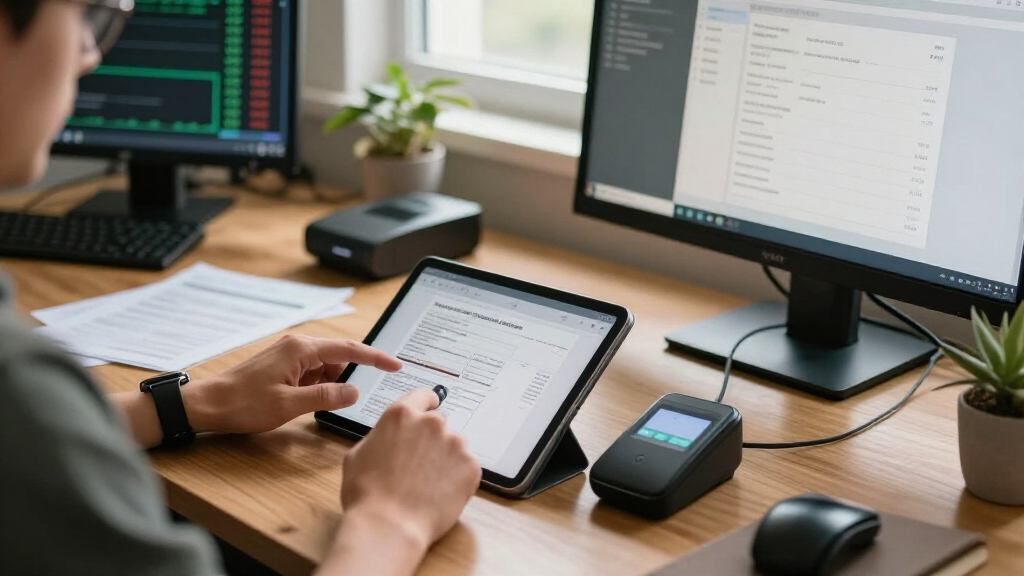
IdeaNavigator AI proposes a document-scanning workflow to turn photographed paper records into searchable, automatically named PDFs. Its suggested test is a one-week pilot in five offices, scanning 200 backlog documents at each site and measuring classification accuracy and willingness to pay.
IdeaNavigator AI has outlined a proposed pilot for a phone-based document-scanning service aimed at small nonprofits, clinics and law offices, with the goal of turning paper records into searchable, automatically filed PDFs. The proposal recommends testing the workflow in five small offices over one week before deciding whether to build a paid product.
According to IdeaNavigator AI’s proposal, an office worker would photograph a stack of documents with a phone. Optical character recognition, or OCR, would read the text, while document-layout tools would suggest a category and filename. An invoice, for example, could be labeled with its document type, date and vendor, then saved as a searchable PDF in a shared folder.
IdeaNavigator AI identifies office managers in paper-heavy small organizations that may lack dedicated IT staff as the intended users. The proposal lists intake forms, invoices and other records as examples of paperwork that can accumulate in filing cabinets and be difficult to search. It argues that ordinary scanner apps often leave users with unsorted image files rather than useful names and extracted information.
To test demand and performance, IdeaNavigator AI suggests asking five offices to scan 200 documents each from an existing backlog during a one-week pilot. The proposed measures are how often the system classifies documents correctly and whether staff would pay for it per seat. The proposal also raises a monthly per-seat subscription with a page limit and additional charges for usage above that cap as a possible business model.
Testing Searchable Filing in Small Offices
If the workflow performs reliably, it could reduce the manual effort involved in sorting, naming and locating routine records. That is particularly relevant to small offices, where staff may handle administrative work alongside their main roles and where a dedicated records or technology team may not be available. Searchable, consistently named files could make it easier to retrieve an invoice or form than searching through a cabinet or a folder of unlabelled scans.
The proposed pilot also addresses a practical business question: whether the technology saves enough staff time to justify a recurring fee. IdeaNavigator AI proposes testing actual backlogs rather than a small set of prepared examples, giving participating offices a chance to assess the service against documents they handle in daily operations. Still, the proposal describes a test plan, not evidence that the system has achieved a particular accuracy level or that organizations are willing to pay.
Document handling can involve sensitive personal, medical or financial information. Any office considering such a tool would need to understand where images and extracted text are processed, who can access the shared folder, how long information is retained, and what protections apply. IdeaNavigator AI’s outline does not specify those safeguards, so they remain material questions for a real pilot.
As an affiliate, we earn on qualifying purchases.
From Paper Stacks to Searchable PDFs
The idea targets a familiar gap between digitizing a page and making its contents useful. A basic scan creates a digital image, but without readable text, consistent filenames or sensible folders, staff may still have trouble finding the right record. IdeaNavigator AI’s proposal combines OCR, document classification and filename suggestions in one phone-based workflow, with the aim of reducing those extra steps.
IdeaNavigator AI says lower-cost on-device and API-based OCR and layout-aware models make this type of automation more practical for organizations without dedicated IT teams. That is the proposal’s rationale for exploring the product now; it is not a reported benchmark, vendor comparison or independent evaluation of accuracy. Results may vary by document quality, handwriting, formatting and the categories an office needs.
As described by IdeaNavigator AI, the suggested first version is deliberately limited: photograph documents, extract text, suggest a type and filename, and save searchable PDFs to a shared location. The proposal does not describe a full records-management platform, a specific software provider, or integrations with existing case-management and accounting systems. Those boundaries make the pilot easier to assess, while leaving open whether the workflow would fit each office’s current processes.
searchable PDF creator for small offices
As an affiliate, we earn on qualifying purchases.
As an affiliate, we earn on qualifying purchases.
Accuracy, Privacy and Buyer Demand
IdeaNavigator AI reports no pilot results. Its proposal does not establish whether the system exists as a working product, how accurately it would classify real documents, or how often staff would need to correct its suggested names and extracted fields. The outline also provides no measured time savings, pricing figures, or evidence of willingness to pay.
Other details remain unresolved in the proposal, including which OCR or layout systems would be used, whether processing would happen on a phone or through an external service, and how sensitive records would be protected. It sets no target classification rate or acceptable error level, and does not explain how the service would handle handwritten pages, poor-quality photos, duplicate documents or records that do not fit preset categories.
The subscription model described by IdeaNavigator AI is a possible way to charge, not a confirmed plan. Page caps, overage rates and per-seat prices have not been specified. The proposal identifies no participating offices, product launch, or pilot timetable.
automatic document naming software
As an affiliate, we earn on qualifying purchases.
As an affiliate, we earn on qualifying purchases.
Pilot Results Would Set the Direction
IdeaNavigator AI’s proposed next step is to recruit five small offices and run a one-week trial using 200 documents from each office’s existing backlog. The proposal says the test would record classification accuracy and ask users whether they would pay per seat. To make those findings useful, organizers would also need to define how accuracy is scored and track the time staff spend reviewing or correcting the output.
If a pilot proceeds, participating organizations would also need clear procedures for handling confidential documents and permission to use any external processing or shared storage involved. IdeaNavigator AI has not confirmed a pilot or provided a schedule or decision date. Until results are reported, the concept remains an early product proposal rather than a validated service.
Source: IdeaNavigator AI
As an affiliate, we earn on qualifying purchases.
Key Questions
What would the proposed document-scanning app do?
According to IdeaNavigator AI’s proposal, it would use a phone to photograph documents, extract text with OCR, suggest a document type and filename, and save searchable PDFs to a shared folder.
Who is the proposed service for?
IdeaNavigator AI aims the idea at office managers in small nonprofits, clinics and law offices that handle substantial paper records and may not have dedicated IT staff.
Has the product or pilot launched?
No launch or completed pilot is reported in IdeaNavigator AI’s proposal. The five-office, one-week test is a proposed validation plan.
How would the pilot measure whether the idea works?
The proposed test would have five offices scan 200 backlog documents each, then measure correct auto-classification and ask whether users would pay per seat. IdeaNavigator AI has provided no accuracy target or results.
What privacy details are known?
IdeaNavigator AI’s proposal does not specify where documents would be processed, how long they would be stored, or what security controls would apply. Those details would need to be clarified before offices used the service for sensitive records.
Source: IdeaNavigator AI