
TL;DR

Get hardware and tech essentials delivered free with Prime
- Fast, free delivery on millions of items
- Prime Video, Amazon Music and more included
- Member-only deals all year
A webcam-based application is being tested to monitor blink rate and suggest breaks for remote workers. This innovation aims to reduce eye strain and improve eye health during prolonged screen use.
A webcam-based application is currently being tested to monitor blink rate and prompt regular screen breaks for remote knowledge workers. This development aims to address the rising issue of digital eye strain caused by prolonged screen time, which has become more prevalent during remote and hybrid work arrangements.
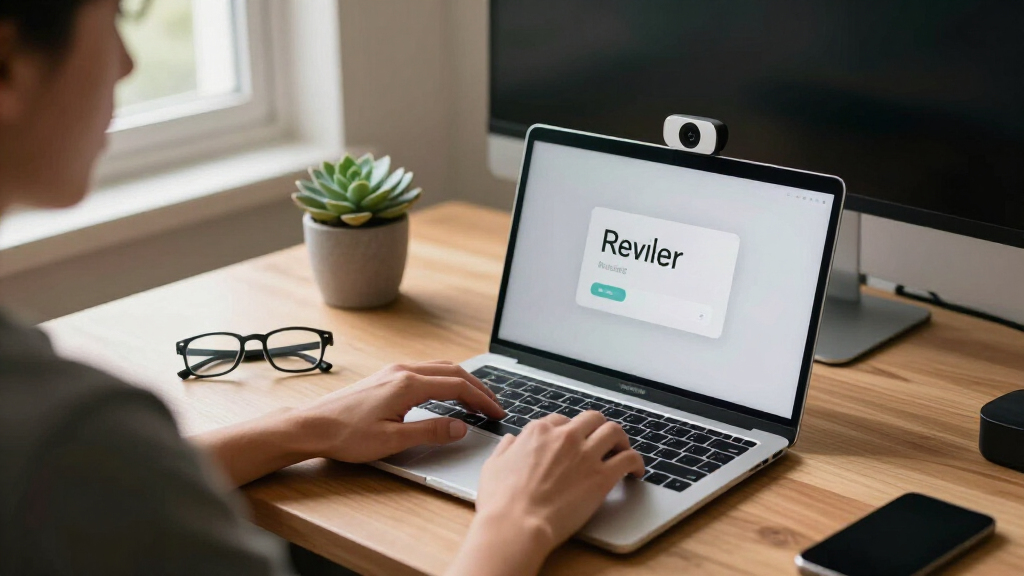
The proposed app uses on-device computer vision via webcams to estimate blink rate and screen distance. When blink frequency drops below a certain threshold, the app nudges users to take 20-20-20 breaks—looking away from screens for 20 seconds every 20 minutes. The system logs daily eye comfort scores based on user adherence and blink metrics. The initiative is currently in a pilot phase, involving twenty remote workers who will test whether this approach improves eye comfort and break compliance.
Developers aim to validate whether this technology can serve as an effective, objective tool for reducing eye strain without compromising workflow. The app operates entirely on-device, ensuring user privacy by not transmitting video data externally. The model is designed to be simple to integrate into existing remote work routines, with a subscription-based revenue model targeting individual users and small teams.
Potential Impact on Remote Work Eye Health
This development could provide a cost-effective, easy-to-implement solution to a widespread problem among remote workers. With increased screen time during the pandemic, digital eye strain has become a common complaint, leading to discomfort, headaches, and long-term vision issues. An objective, automated reminder system could improve adherence to eye health guidelines and reduce the burden on users to self-monitor, potentially preventing more serious eye problems.
As an affiliate, we earn on qualifying purchases.
Rising Screen Time and Eye Strain Concerns
The shift to remote and hybrid work models has significantly increased daily screen exposure for knowledge workers. Prior to this development, most workers relied on self-awareness to manage eye health, often only noticing symptoms after they became severe. Existing solutions include software reminders and ergonomic advice, but these lack objective measurement of eye strain or blink behavior. Recent advances in on-device computer vision enable webcams to estimate blink rate without transmitting video data, opening new possibilities for real-time eye health monitoring.
The idea of using webcam-based tracking to promote healthier screen habits has been discussed in the tech community, but formal testing and validation are still in progress. The current pilot aims to demonstrate whether this approach can effectively reduce symptoms associated with digital eye strain, such as dry eyes and headaches.
“Using webcam-based blink rate estimation allows us to objectively monitor eye health and prompt timely breaks, potentially reducing discomfort for remote workers.”
— an anonymous researcher
digital eye strain prevention tools
As an affiliate, we earn on qualifying purchases.
As an affiliate, we earn on qualifying purchases.
Uncertain Outcomes of Pilot Testing
It is not yet clear whether the app will significantly improve eye comfort or break adherence among users. The pilot involves only twenty participants, and results are still being collected. Additionally, user acceptance and privacy concerns regarding webcam monitoring remain to be fully evaluated. Long-term effectiveness and potential integration with other health tools are still under consideration.
As an affiliate, we earn on qualifying purchases.
Next Steps in Validation and Deployment
The pilot study is expected to conclude within the next few months, after which researchers will analyze data on blink rate, break adherence, and self-reported eye comfort. If results are positive, developers plan to refine the app and prepare for a broader rollout, potentially including integration with existing remote work platforms. Further research may explore additional health metrics and personalized recommendations.
As an affiliate, we earn on qualifying purchases.
Key Questions
How does the app estimate blink rate without transmitting video data?
The app uses on-device computer vision models that analyze webcam feed locally to estimate blink rate, ensuring user privacy by not sending video outside the device.
Will this app work with all webcams?
The app is designed to be compatible with most standard webcams, but performance may vary depending on camera quality and lighting conditions.
Can this tool replace manual reminders or ergonomic advice?
It is intended as a supplementary tool that provides objective monitoring and timely prompts, not a replacement for comprehensive ergonomic practices.
Is this technology available for general use now?
The system is currently in pilot testing with a limited user group; wider availability will depend on pilot outcomes and further development.
What are the privacy implications of webcam monitoring?
The app processes video locally on the device, with no video data transmitted externally, addressing many privacy concerns associated with webcam monitoring.
Source: IdeaNavigator AI
Halloween Picks
halloween
As an affiliate, we earn on qualifying purchases.