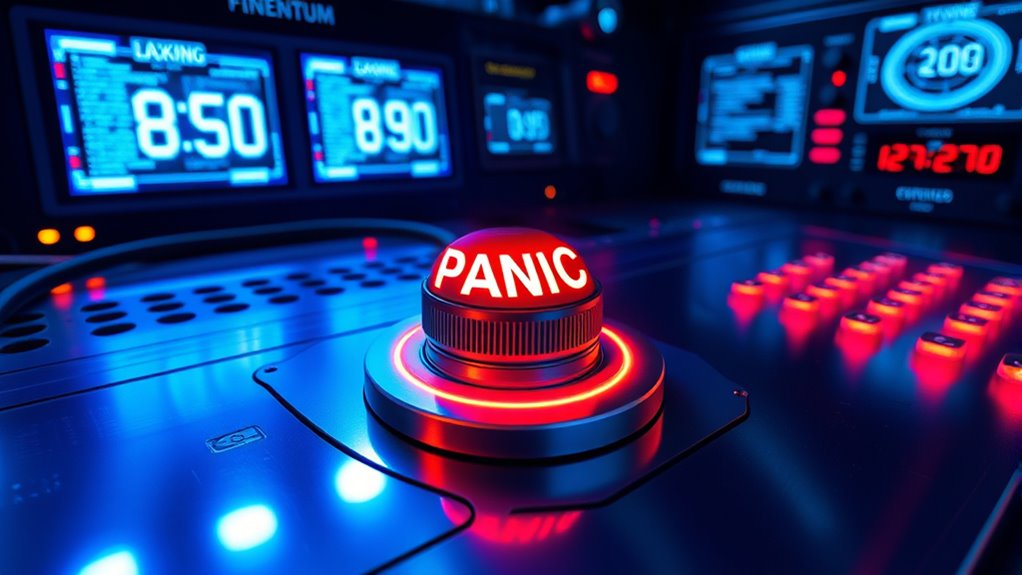

Implementing a smart contract panic button with a 24-hour time-lock lets you act quickly if suspicious activity occurs, giving you the chance to pause or disable functions safely. Only trusted users or multi-signature wallets should trigger it, and clear protocols prevent accidental or malicious triggers. The time-lock provides a vital window to review the situation and prevent immediate shutdowns that hackers could exploit. Keep exploring for more insights on making your contract safer.

Get hardware and tech essentials delivered free with Prime
- Fast, free delivery on millions of items
- Prime Video, Amazon Music and more included
- Member-only deals all year
Key Takeaways
- A panic button acts as an emergency stop, allowing immediate contract suspension during suspicious activity.
- Implementing a 24-hour time-lock provides a delay, enabling review before shutdown or critical changes.
- Access to activate the panic button should be restricted to trusted parties or multi-signature wallets.
- Regular testing and updates of emergency procedures ensure effective responses to potential threats.
- Clear protocols and the time-lock deter malicious actors and help prevent catastrophic losses.

Have you ever wondered what would happen if a smart contract suddenly malfunctioned or was compromised? In the fast-paced world of blockchain, where transactions are automatic and irreversible, a single vulnerability can lead to significant losses. That’s why implementing a smart contract panic button is essential. This panic button acts as a safeguard, allowing you to pause or disable a contract immediately if suspicious activity occurs. To make it effective, you need to incorporate a 24-hour time-lock feature, which adds an extra layer of security by preventing rushed or malicious actions.
A smart contract panic button with a 24-hour time-lock enhances security and provides crucial response time.
When you activate a panic button with a time-lock, it doesn’t shut down the contract instantly. Instead, it initiates a waiting period—say, 24 hours—during which emergency procedures can be executed, or security protocols can be reviewed. This delay ensures that any malicious actors can’t quickly drain funds or manipulate the contract before safeguards are in place. It also gives you, as the contract owner or administrator, time to assess the situation thoroughly. During this window, you can alert your team, notify stakeholders, or verify whether the alert was legitimate or a false alarm.
The key to a successful panic button system lies in its design. Security protocols should dictate who has access to activate the panic button and under what circumstances. Typically, only trusted parties or multi-signature wallets should have the authority, preventing any accidental or malicious triggers. Emergency procedures should be well defined, outlining exactly what steps to take once the panic button is pressed. These could include freezing assets, notifying law enforcement, or initiating a manual review of the contract’s transactions. Having clear protocols minimizes chaos and ensures swift, coordinated responses.
Moreover, the 24-hour time-lock acts as a deterrent for attackers, knowing that their malicious plan can’t be executed instantly. It provides a critical window for you to intervene, review, and confirm whether the threat is real. This proactive approach helps prevent catastrophic losses and maintains trust in your contract’s integrity. Regularly testing and updating these emergency procedures is equally important. You want to ensure that when the panic button is pressed, it works seamlessly, and your team knows how to respond effectively.
In essence, integrating a panic button with a 24-hour time-lock into your smart contracts creates a safety net that balances rapid response with thorough review. It’s a vital component of your security protocols, giving you peace of mind and a strategic advantage against unforeseen threats or technical failures. Implementing such features is also aligned with best practices in security protocols, which emphasize proactive safeguards and risk mitigation strategies.
smart contract security hardware wallet
As an affiliate, we earn on qualifying purchases.
As an affiliate, we earn on qualifying purchases.
Frequently Asked Questions
How Does a Time-Lock Improve Smart Contract Security?
A time-lock improves your smart contract security by acting as an emergency protocol, giving you a delay before executing critical actions. This window allows you to review security audits and spot potential vulnerabilities, preventing impulsive or malicious changes. By implementing a 24-hour delay, you gain time to respond to threats, making it harder for hackers to exploit your contract and ensuring you have a safeguard in place during emergencies.
What Are the Potential Drawbacks of a Panic Button?
Did you know that 60% of users say trust in a platform hinges on its security measures? A panic button might seem helpful, but it can hurt user trust if the user interface isn’t clear or if it causes delays during emergencies. The main drawback is that it could be misused or misunderstood, leading to panic or lost assets, ultimately undermining confidence in the system’s safety.
Can a Panic Button Be Misused by Malicious Actors?
You’re right to worry about misuse of a panic button. Malicious actors could trigger false emergency protocols or exploit the system’s response, causing chaos or financial loss. To prevent this, it’s essential to implement safeguards like multi-signature approval or strict access controls. Regular audits and monitoring can also help detect malicious exploits early, ensuring the panic button remains a tool for security, not a vulnerability.
How Is the 24-Hour Delay Configured in Smart Contracts?
Imagine holding a safety net in your hand—this is how the 24-hour delay in smart contracts works. You configure the timelock by setting a specific duration within the smart contract code, which controls when certain actions can execute. This smart contract delay acts as a safeguard, giving you time to review or cancel transactions if needed, ensuring your assets stay protected against malicious activities.
Are There Any Legal Implications for Implementing a Panic Button?
You might wonder about the legal implications of implementing a panic button. It’s important to take into account regulatory compliance, as such features could raise concerns about transparency and accountability. You could face legal liabilities if the panic button is misused or if it conflicts with contractual obligations. To avoid issues, make sure your smart contract’s design clearly defines its purpose, and consult legal experts to align your security measures with applicable laws.
multi-signature wallet for blockchain
As an affiliate, we earn on qualifying purchases.
As an affiliate, we earn on qualifying purchases.
Conclusion
Implementing a 24-hour time-lock on your smart contract panic button gives you vital time to react and prevent potential hacks. It’s a simple measure that can save your assets and reputation. Don’t you want to guarantee your funds are protected even if a vulnerability is exploited? By adding this delay, you create a safety net that keeps your contract secure and your confidence intact. Isn’t it worth taking that extra step for peace of mind?
blockchain emergency panic button
As an affiliate, we earn on qualifying purchases.
As an affiliate, we earn on qualifying purchases.
24-hour time-lock smart contract
As an affiliate, we earn on qualifying purchases.
As an affiliate, we earn on qualifying purchases.
Fall Picks
fall essentials
As an affiliate, we earn on qualifying purchases.