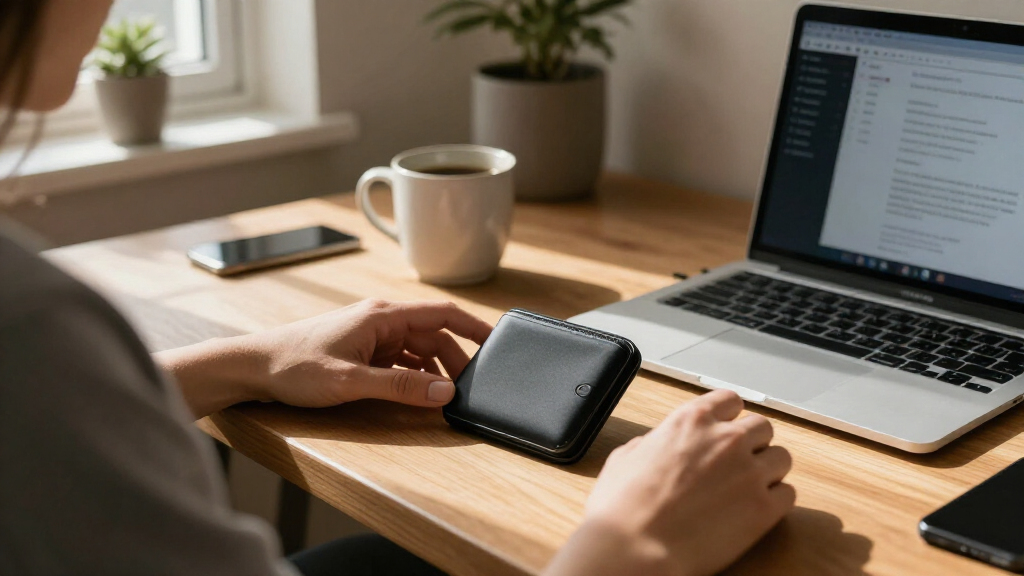
Set up a Bitcoin hardware wallet so you can approve transactions on a dedicated device while keeping your recovery phrase offline. This guide is for beginners who already have a wallet and want to prepare it before moving Bitcoin. Allow 30-60 minutes for setup and a backup check; a Bitcoin deposit may take longer to confirm.

Get hardware and tech essentials delivered free with Prime
- Fast, free delivery on millions of items
- Prime Video, Amazon Music and more included
- Member-only deals all year

Trezor Safe 3 Crypto Hardware Wallet with Secure Element
- ✔ Screen: OLED
- ✔ Security element: NDA-free EAL 6+
- ✔ Connection: USB-C

Trezor Safe 7 Crypto Hardware Wallet with Bluetooth and Color Touchscreen
- ✔ Screen: High-resolution color touchscreen
- ✔ Security architecture: TROPIC01 chip and EAL6+ secure element
- ✔ Connections: Encrypted Bluetooth and USB-C

Blockstream Jade – Bitcoin Hardware Wallet
- ✔ Transaction method: Camera-based QR air-gapped transactions
- ✔ Screen: Full-color with QR code support
- ✔ Connectivity: USB-C and Bluetooth
Difficulty: Beginner | Time: 30-60 minutes, plus Bitcoin network confirmation time
What You’ll Need
Tools & Materials:
- A hardware wallet from its manufacturer or an authorized seller
- A computer or phone compatible with the wallet
- The wallet maker’s official companion app, downloaded from its official website or verified app store
- The supplied recovery phrase backup card, or clean paper and a pen
- A small amount of Bitcoin for a test deposit, held at an exchange or another wallet
Knowledge:
- Basic use of a computer or smartphone
- How to copy and compare a Bitcoin address
- The recovery phrase controls access to the wallet’s Bitcoin
Do not set up a wallet on a device that appears used or has an exposed recovery phrase. A hardware wallet does not store Bitcoin itself; it protects the keys used to authorize Bitcoin transactions. Anyone who obtains the recovery phrase can take the funds, so never type it into a website, computer, phone, or chat.
Trezor Safe 3 Crypto Hardware Wallet with Secure Element
The Trezor Safe 3 earns our overall position by keeping the Bitcoin cold-storage routine focused: connect over USB-C, review details on the OLED screen, and confirm on the device. Its NDA-free EAL 6+ secure element adds a hardware security component, while the listing also highlights PIN and passphrase support. For many Bitcoin holders, that mix is more practical than the Safe 7’s wireless charging and Bluetooth features, which are useful conveniences but not essential to holding or signing Bitcoin.The screen is the key compromise. It supports on-device confirmation, but it is smaller and less detailed than Safe 7’s color touchscreen, so reviewing complex information may feel less comfortable. Compared with Jade, Safe 3 is positioned as a broader asset wallet and offers a Trezor Suite workflow; Jade is more specifically tailored to Bitcoin and camera-based air-gapped use. Safe 3 also lists a multi-share backup option, an alternative to a single recovery point that buyers should understand before setup. Choose it for a clear, familiar middle ground; skip it if your priority is wireless operation or a deliberately air-gapped Bitcoin workflow.
Pros:
- NDA-free EAL 6+ secure element
- OLED screen supports on-device transaction confirmation
- PIN and passphrase support listed
- Multi-share backup option and Trezor Suite management
Cons:
- Small OLED offers less room for reviewing details than Safe 7
- USB-C-centered workflow lacks Safe 7’s wireless features
- Broader multi-asset positioning is less Bitcoin-specific than Jade
Best for: Bitcoin holders who want a compact, screen-based wallet with a secure element, simple USB-C connection, and an approachable setup.
Not ideal for: People who want a large color display, Bluetooth convenience, or camera-based air-gapped transaction signing.
Bottom line: For a straightforward Bitcoin cold-storage setup with meaningful hardware protections, Safe 3 offers the strongest balance in this group.
“For a straightforward Bitcoin cold-storage setup with meaningful hardware protections, Safe 3 offers the strongest balance in this group.”
Trezor Safe 7 Crypto Hardware Wallet with Bluetooth and Color Touchscreen
For users who want to inspect more information directly on the device, Trezor Safe 7 has the clearest interface in this trio. Its large color touchscreen should make navigating and reviewing transactions easier than on Safe 3’s OLED, while encrypted Bluetooth supports phone-based use without a cable. The listed dual-chip architecture pairs a fully auditable TROPIC01 chip with an EAL6+ secure element, giving security-focused buyers a different hardware approach from Safe 3’s single secure-element emphasis.These features make Safe 7 the convenience and interface upgrade, not an automatic Bitcoin necessity. If we mainly store Bitcoin and sign occasionally at a desk, Safe 3’s wired workflow may be simpler. Jade offers another distinct route: camera-based transactions for users who prefer an air-gapped process, whereas Safe 7 is built around connected access. Bluetooth, a battery, wireless charging, and a larger display also mean more components to manage than with a compact, cable-first device. Its quantum-ready architecture is a stated design feature, but buyers should not treat that label as a substitute for careful recovery practices or transaction verification. Choose Safe 7 when its display and wireless operation solve a real routine problem.
Pros:
- Large high-resolution color touchscreen
- Encrypted Bluetooth plus USB-C connectivity
- Dual-chip design with auditable TROPIC01 and EAL6+ secure element
- IP54-rated construction and Qi2-compatible wireless charging
Cons:
- More features and battery management than occasional cold storage requires
- Connected wireless workflow differs from Jade’s camera-based air-gapped option
- Larger interface and premium build may be unnecessary for a basic Bitcoin setup
Best for: Bitcoin users who regularly manage transactions from a phone and want a large touchscreen for reviewing details on-device.
Not ideal for: Holders seeking a minimal wired wallet or specifically prioritizing camera-based air-gapped signing.
Bottom line: Safe 7 is the better fit when a readable touchscreen and wireless access will improve how we manage Bitcoin.
“Safe 7 is the better fit when a readable touchscreen and wireless access will improve how we manage Bitcoin.”
Blockstream Jade – Bitcoin Hardware Wallet
Blockstream Jade is the most Bitcoin-specific choice here. Its camera supports QR-based, fully air-gapped transactions, letting users move transaction data without relying on a direct USB or Bluetooth connection for that signing step. The full-color screen makes those QR interactions visible, and Hardware Wallet Interface support can suit people who want to work with Bitcoin Core or compatible tools. The device is fully open source, a notable distinction from comparing security by hardware claims alone.Jade’s workflow is a deliberate choice: camera-based signing can appeal to users who want to keep the wallet disconnected during transaction approval, but it may involve more steps than Safe 3’s direct USB-C use. It also lists Bluetooth and USB-C, so buyers should distinguish its optional connection methods from the air-gapped camera workflow. Its virtual secure element and rate-limited, server-enforced PIN protection differ from the dedicated secure elements named for both Trezor models. That approach may suit open-source-minded Bitcoin users, but those wanting a conventional certified secure-element design may prefer Safe 3 or Safe 7. Jade is the specialist pick for Bitcoin workflows; users seeking a simple multi-asset wallet experience should compare it carefully with Trezor Suite.
Pros:
- Camera enables fully air-gapped transaction flow
- Fully open-source design
- Hardware Wallet Interface support, including Bitcoin Core compatibility
- Color screen supports QR codes
Cons:
- QR-based signing can take more steps than a direct USB-C workflow
- Virtual secure element differs from the dedicated secure elements in both Trezor options
- Bitcoin-centered focus is less suited to buyers seeking broad multi-asset management
Best for: Bitcoin users who value open-source software, QR-based air-gapped transaction signing, or compatibility with Bitcoin Core workflows.
Not ideal for: Beginners who want the most direct setup and transaction flow, or buyers who specifically want a listed certified secure element.
Bottom line: Jade is the clearest choice for Bitcoin users who prioritize open-source tools and camera-based air-gapped signing over simplicity.
“Jade is the clearest choice for Bitcoin users who prioritize open-source tools and camera-based air-gapped signing over simplicity.”
As an Amazon Associate we earn from qualifying purchases.
Before You Start
Keep the recovery phrase private throughout setup. The device should generate the phrase and display it directly on its screen. No legitimate support agent needs the phrase. Check the manufacturer’s official instructions for model-specific steps, and do not follow setup links from unsolicited messages or ads.
Choose a private place to write and store the backup. Avoid taking a photo or saving the phrase in a password manager, cloud drive, email, or notes app. If you plan to store a meaningful amount, consider a second secure backup location after setup.
Step-by-Step Instructions
Step 1: Check the device and source
Inspect the packaging and wallet for signs of opening, damage, or unexpected setup materials. Confirm the model and setup instructions on the manufacturer’s official site. If the device arrives with a recovery phrase already printed or written down, do not use it; contact the manufacturer through its official support channel.
Tip: Buy from the manufacturer or an authorized seller. A sealed box alone does not prove a device is safe, so follow the maker’s authenticity checks if provided.
Check: The wallet appears intact, and the manufacturer describes the same model and setup process.
Step 2: Install the official companion app
Download the wallet maker’s companion app from its official website or a verified app store. Check the publisher name and, when offered, verify the download details against the manufacturer’s instructions. Do not install an app from a search ad, message link, or third-party download site.
Tip: If the app asks you to enter a recovery phrase during initial setup, stop and check the manufacturer’s documentation. Some recovery procedures use an app, but an ordinary setup flow should not ask you to type the phrase into a computer or phone.
Check: The companion app opens and identifies your hardware wallet model without asking for the recovery phrase.
Step 3: Initialize the wallet on its screen
Connect or power on the hardware wallet, then follow its screen prompts to create a new wallet. Choose a device PIN if requested, and enter it only on the device. Select the option to create a new wallet, not restore an existing one, unless you are intentionally recovering a wallet you already own.
Tip: The PIN protects use of the device, but it is not a replacement for the recovery phrase. Never share either credential.
Check: The device confirms that it created a new wallet and proceeds to display a recovery phrase.
Step 4: Write down the recovery phrase
Copy each word in order from the hardware wallet screen onto the supplied backup card or clean paper. Check the spelling and position of every word before moving on. Keep the screen private and do not dictate, photograph, scan, or type the phrase into another device.
Tip: Some wallets use 12 or 24 words; follow the device’s exact sequence. Do not add your own words or change the order.
Check: You have a complete, legible offline copy of every word in the displayed order.
Step 5: Complete the device’s backup check
Use the wallet’s recovery phrase verification feature when prompted. Enter or select the requested words using the hardware wallet itself, following its screen. If you make an error, repeat the check from the beginning rather than guessing.
Tip: This check catches writing mistakes before you send funds. If the device does not offer a verification step, use the manufacturer’s documented backup-check method for your model.
Check: The wallet reports that the recovery phrase backup is verified, or the maker’s documented check passes.
Step 6: Secure the recovery phrase
Place the written phrase somewhere private, dry, and protected from loss or unauthorized access. Keep it apart from the wallet when practical, so one theft or accident is less likely to expose both. If you create another copy, check every word and secure it separately.
Tip: Anyone with the phrase can restore the wallet on another compatible device. Do not label it in a way that makes it easy to identify as a Bitcoin recovery phrase.
Check: The phrase is readable, offline, and stored where you can access it without exposing it to other people.
Step 7: Open the Bitcoin account in the app
Connect the wallet to its companion app and add or open a Bitcoin account. Confirm the app recognizes the hardware wallet. If it offers multiple Bitcoin networks or address types, use the standard Bitcoin main network unless you intentionally need another network.
Tip: Bitcoin test networks and other networks do not use the same funds as Bitcoin mainnet. Confirm the network before receiving or sending.
Check: The app shows a Bitcoin account associated with your connected hardware wallet.
Step 8: Verify a receive address on the device
In the companion app, choose Receive and request a Bitcoin address. Compare the address shown in the app with the address displayed on the hardware wallet screen. Approve or confirm only if every character matches, then copy or scan the verified address for the test deposit.
Tip: Malware can replace an address copied on a computer. The hardware wallet’s screen is the trusted check; do not rely only on the app display.
Check: The app and hardware wallet show the same Bitcoin address, and the app presents it as ready to receive.
Step 9: Send a small test deposit
From your exchange or other wallet, send a small amount you can afford to test to the verified address. Confirm that the sending service is using Bitcoin mainnet, review the amount and fee, and submit the transaction. Wait for the transaction to appear in the wallet app and receive confirmations before sending a larger amount.
Tip: A transaction may appear as pending before it has a network confirmation. Confirmation time varies with network activity and the fee selected by the sender.
Check: The wallet app shows the incoming transaction at the expected address and amount; after a while, it shows at least one confirmation.
Common Mistakes to Avoid
- Typing the recovery phrase into a website, computer, or phone. — Keep the phrase offline and enter it only on the hardware wallet during a documented recovery or verification flow.
- Skipping the backup verification or miscopying a word. — Check the sequence carefully and complete the device’s verification before sending Bitcoin.
- Sending Bitcoin to an address without checking the device screen. — Compare the complete address shown in the app with the hardware wallet display for every new receive address.
- Sending a large balance before testing the setup. — Send a small test transaction first, wait for confirmation, and verify that it arrived in the intended account.
Troubleshooting
Problem: The companion app does not detect the wallet.
Solution: Reconnect the cable or Bluetooth connection, unlock the device, and confirm that the app supports the wallet model and your operating system. Use the manufacturer’s setup instructions and official support if detection still fails.
Problem: The wallet says the recovery phrase check is incorrect.
Solution: Review the written words against the device prompts, including spelling and order. Do not guess or share the phrase with support. If you cannot verify the backup, follow the manufacturer’s official recovery guidance before funding the wallet.
Problem: The app and device show different receive addresses.
Solution: Do not send funds to either address. Disconnect and reopen the official app, then request a fresh address and compare again. If they still differ, stop and consult the manufacturer’s official support.
Problem: The test deposit does not appear.
Solution: Check the sender’s transaction status and confirm it was sent on Bitcoin mainnet to the verified address. Use the transaction ID in a reputable Bitcoin block explorer, and allow time for confirmation. If the transaction is confirmed but the app does not show it, refresh or rescan the account using the maker’s instructions.
What Success Looks Like
Setup is complete when the hardware wallet has a PIN, the device-generated recovery phrase has passed its backup check and is stored offline, the companion app shows the correct Bitcoin account, and a small test deposit reaches the verified address. Confirm at least one network confirmation before transferring a larger balance.
Next Steps
Keep the device firmware and companion app current using the manufacturer’s official update process. Recheck that you can locate the recovery backup without exposing it. Before each outgoing payment, verify the destination address and amount on the hardware wallet screen. If the device is lost or damaged, use the recovery phrase only with a compatible wallet obtained through a trusted source.
Frequently Asked Questions
Does a hardware wallet contain my Bitcoin?
No. Bitcoin remains recorded on the Bitcoin network. The hardware wallet stores and uses the keys needed to authorize transactions, while the companion app displays account activity.
Can I keep the recovery phrase in a password manager?
Do not store the recovery phrase in a password manager, cloud account, photo library, email, or notes app. Keep a physical backup offline and protected from access, fire, water, and loss as appropriate for your situation.
Why should I send a test amount first?
A small test verifies that you selected the right account and network, copied the right address, and can see incoming funds in the wallet app. Wait for confirmation before sending the rest.
What if I lose the hardware wallet?
You can restore access with the recovery phrase on a compatible replacement wallet. Treat the phrase as full control of the funds: anyone who obtains it can restore the wallet, even without your original device.
Should I use a passphrase in addition to the recovery phrase?
Some wallets support an optional passphrase that creates a different wallet. Use it only if you understand that forgetting it can make the funds unrecoverable, and follow the device maker’s official instructions for backing it up safely.